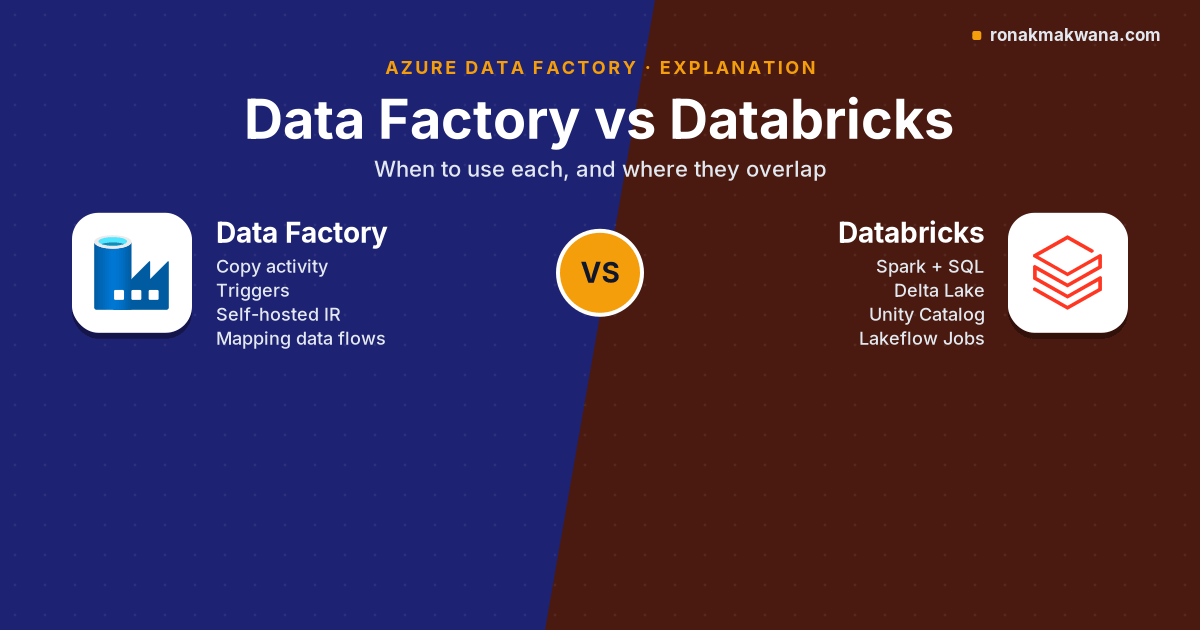
“Should we use Data Factory or Databricks?” is one of the most common questions on Azure data projects, and it’s usually the wrong framing. Azure Data Factory is primarily an orchestration and data movement service. Azure Databricks is primarily a compute platform for transforming and analysing data with Apache Spark and SQL. They overlap at the edges, and those edges are where the real decisions are. This post maps out who does what, where they overlap, and how to choose.
Applies to: Azure Data Factory (V2) and Azure Databricks as documented in October 2026. Microsoft now positions Data Factory in Microsoft Fabric as the next generation of Azure Data Factory; the trade-offs below largely carry over, and Fabric gets its own comparison later in this series.
What each service is for
| Azure Data Factory | Azure Databricks | |
|---|---|---|
| Core job | Orchestrate pipelines and move data between stores | Process, model and analyse data at scale |
| Authoring | Visual pipeline designer, JSON definitions | Notebooks, Python/SQL files, IDE plus Databricks CLI |
| Transformation engine | Mapping data flows (visual, run on ADF-managed Spark clusters) | Apache Spark and Photon on Databricks Runtime, Databricks SQL |
| Connectivity | Large built-in connector catalogue, self-hosted integration runtime for on-premises sources | Spark data sources, Lakeflow Connect managed connectors (databases via CDC, SaaS apps), JDBC |
| Scheduling | Schedule, tumbling window and event triggers | Lakeflow Jobs with schedules, file arrival and table update triggers |
| Governance | Pipeline-level RBAC and Git integration | Unity Catalog: table-level permissions, lineage, auditing |
| Pricing dimensions | Activity runs, data movement (DIU-hours), integration runtime hours, data flow vCore-hours | Databricks Units (DBUs) per compute type plus the underlying VMs, or serverless DBUs |
Pricing changes and varies by region, so check the Data Factory pipeline pricing and Azure Databricks pricing pages for current rates rather than relying on numbers in blog posts.
Where they overlap
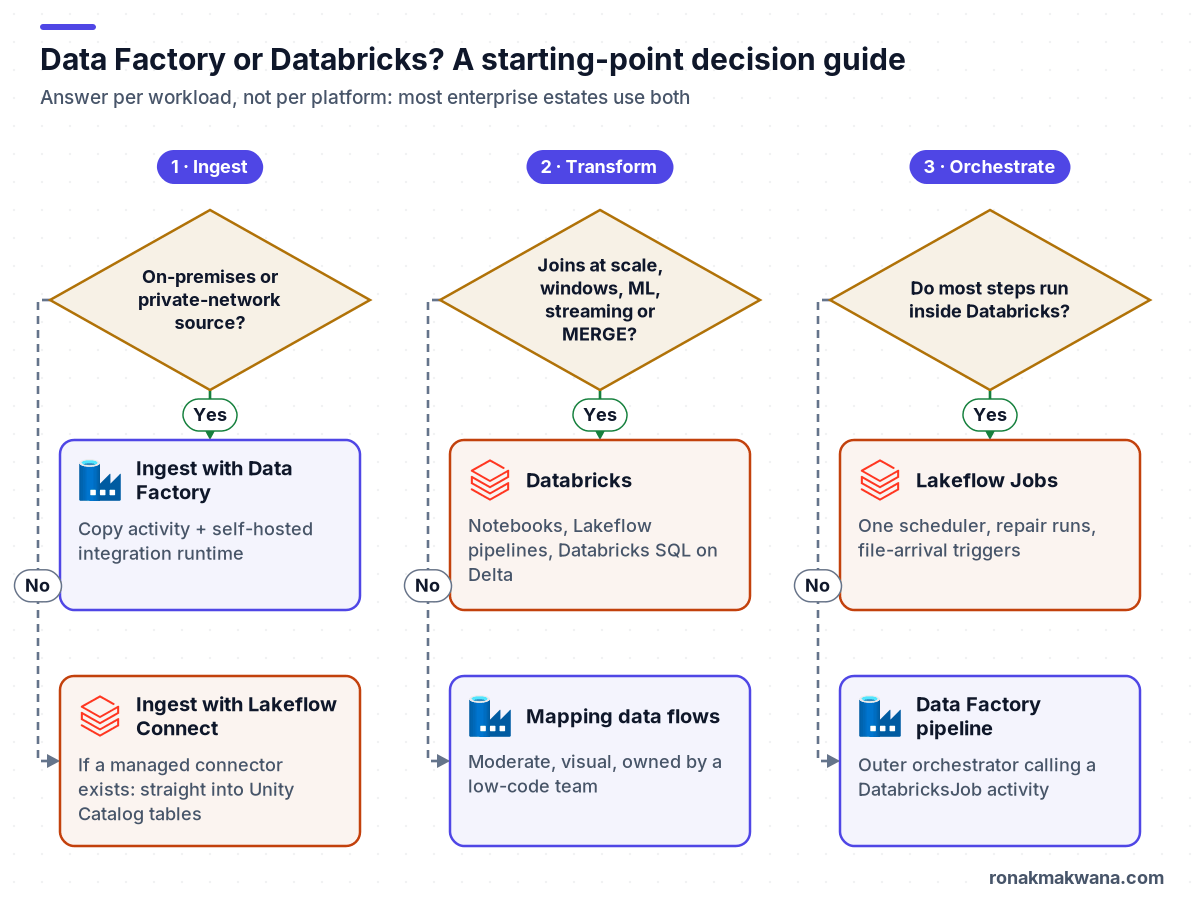
Ingestion
Data Factory’s Copy activity is built for moving bytes: it connects to a large catalogue of sources, including on-premises databases through a self-hosted integration runtime, and lands data without you writing code or running a Spark cluster. Databricks now has Lakeflow Connect, whose managed connectors ingest from databases such as SQL Server, MySQL and PostgreSQL using change data capture, and from SaaS applications such as Salesforce and Workday, straight into Unity Catalog tables.
Rule of thumb: if the source is on-premises, unusual, or simply needs copying to the lake on a schedule, Data Factory is usually the simpler tool. If a Lakeflow Connect connector exists for the source and the destination is a Databricks table, ingesting directly in Databricks removes a hand-off.
Transformation
Mapping data flows let you build Spark transformations visually; Data Factory handles code generation and runs them on clusters it manages. Databricks gives you full Spark, SQL and Python, Delta Lake, and Lakeflow pipelines (the product formerly known as Delta Live Tables) for declarative batch and streaming pipelines.
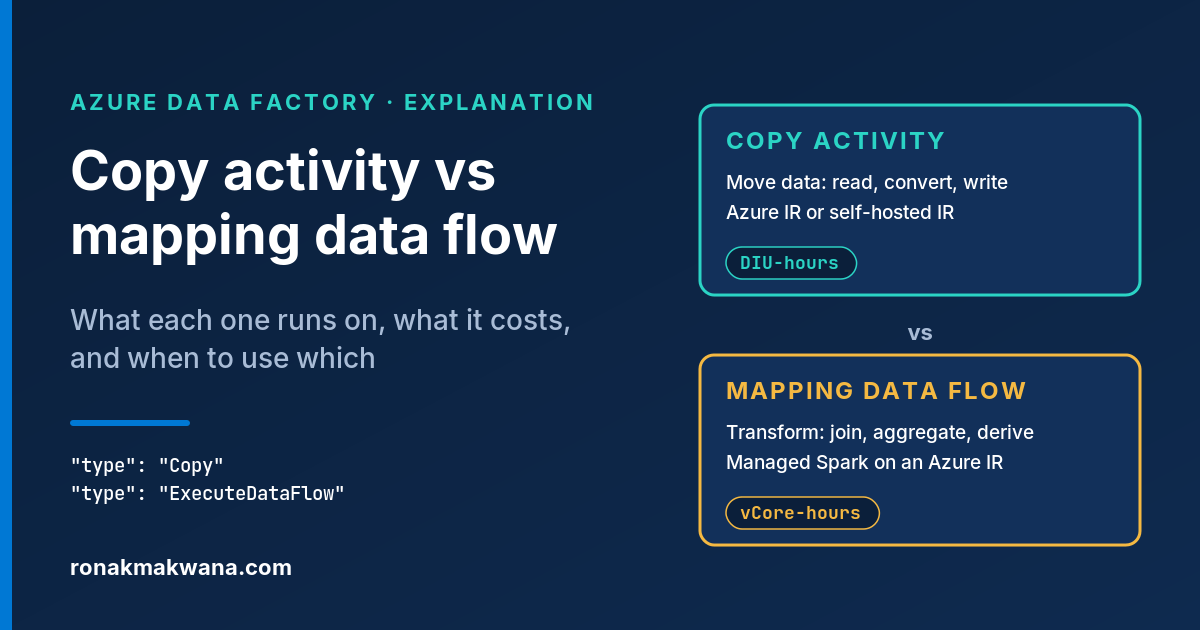
Rule of thumb: mapping data flows suit moderate, mostly row-and-column transformations owned by people who prefer a visual tool. Once you need complex joins, window functions, machine learning features, streaming, unit-tested code or Delta Lake features such as MERGE and time travel, Databricks is the better home. The trade-offs inside Data Factory itself are covered in Copy activity vs mapping data flow.
Orchestration
Both can schedule and chain work. Data Factory orchestrates across many services: a Copy, a stored procedure, a Logic App call and a Databricks job in one pipeline. Lakeflow Jobs orchestrate tasks inside Databricks (notebooks, Python, SQL, pipelines, dbt) with dependencies, retries and repair runs, and can also trigger on file arrival.
Rule of thumb: if most steps run in Databricks, orchestrate in Lakeflow Jobs and avoid a second scheduler. If the workflow spans many services, Data Factory is a good outer orchestrator that calls Databricks for the heavy lifting.
Three common architectures
1. Data Factory ingests and orchestrates, Databricks transforms
The most common pattern on Azure, and the one used in Building a Modern Data Engineering Platform on Microsoft Azure. Copy activities land raw data; a Databricks Job activity (type DatabricksJob, which Microsoft documents as running on serverless compute) triggers the transformation job and passes parameters.
{
  "name": "pl_orders_daily",
  "properties": {
    "activities": [
      { "name": "CopyOrders", "type": "Copy", "typeProperties": { } },
      {
        "name": "RunSilverJob",
        "type": "DatabricksJob",
        "dependsOn": [ { "activity": "CopyOrders", "dependencyConditions": [ "Succeeded" ] } ],
        "linkedServiceName": { "referenceName": "ls_databricks", "type": "LinkedServiceReference" },
        "typeProperties": {
          "jobId": "123456789012345",
          "jobParameters": { "load_date": "@formatDateTime(pipeline().TriggerTime, 'yyyy-MM-dd')" }
        }
      }
    ]
  }
}
Good for: mixed estates with on-premises sources, teams with existing Data Factory skills, and workflows that touch many Azure services. Watch for: two places to monitor and two deployment pipelines.
2. Databricks end to end
Lakeflow Connect or Auto Loader ingests, Lakeflow pipelines or notebooks transform, and Lakeflow Jobs schedule everything. Jobs are defined as code with Declarative Automation Bundles (formerly Databricks Asset Bundles):
resources:
  jobs:
    orders_daily:
      name: orders-daily
      schedule:
        quartz_cron_expression: '0 30 2 * * ?'   # 02:30 every day
        timezone_id: UTC
        pause_status: UNPAUSED
      tasks:
        - task_key: bronze_to_silver
          notebook_task:
            notebook_path: ../src/bronze_to_silver.py
        - task_key: silver_to_gold
          depends_on:
            - task_key: bronze_to_silver
          notebook_task:
            notebook_path: ../src/silver_to_gold.py
Good for: cloud and SaaS sources with available connectors, code-first teams, streaming workloads, and platforms that want Unity Catalog lineage from ingestion onwards. Watch for: sources without a connector, especially on-premises systems behind firewalls, where you’d have to build and run the ingestion yourself.
3. Data Factory end to end
Copy activities plus mapping data flows, with no Databricks workspace at all. Good for: modest data volumes, mostly-structured transformations, and teams that want a low-code tool and one service to operate. Watch for: transformations that outgrow the visual designer, and the lack of a governed table layer; you’ll typically still need a SQL engine or a lakehouse to serve the data.
Decision guide
| If… | Lean towards |
|---|---|
| Sources are on-premises or behind private networks | Data Factory with a self-hosted integration runtime for ingestion |
| A Lakeflow Connect connector covers the source and the target is Unity Catalog | Databricks ingestion |
| Transformations need joins at scale, windows, ML features or streaming | Databricks |
| Transformations are simple and maintained by a low-code team | Mapping data flows |
| Most workflow steps run in Databricks | Lakeflow Jobs |
| The workflow calls many different Azure services | Data Factory as the outer orchestrator |
| You need table-level governance and lineage | Unity Catalog in Databricks, with Data Factory feeding it |
Cost: compare the shape, not a single number
Data Factory charges per activity run and per unit of integration runtime time, so a pipeline that runs thousands of tiny activities can cost more in orchestration than in data movement. Mapping data flows are charged for the vCore-hours of the cluster, including its start-up time. Databricks charges DBUs for the compute you use, which varies by compute type (jobs, all-purpose, SQL, serverless), plus the VMs for classic compute. Two practical consequences:
- For heavy transformation, Databricks job or serverless compute is typically the more cost-effective engine; all-purpose clusters left running for scheduled jobs are a common source of waste.
- For simple copies, Data Factory avoids spinning up Spark at all.
Run a representative workload on both and compare actual bills before standardising.
What I recommend as a default
For a new Azure platform with a mix of on-premises and cloud sources, I recommend starting with pattern 1: Data Factory for ingestion and cross-service orchestration, Databricks for all transformation, and Unity Catalog as the single governed table layer. Revisit that as Lakeflow Connect covers more of your sources; moving ingestion into Databricks later is straightforward if the lake layout is the contract between the two, as described in the medallion architecture post.
About this article
This is a comparison based on Microsoft Learn and Azure Databricks documentation. The pipeline JSON and bundle YAML are illustrative and weren’t deployed or run. Product names (Lakeflow Jobs, Lakeflow Connect, Lakeflow pipelines, Declarative Automation Bundles) are as they appear in the documentation at the time of checking. Last checked against official documentation: October 2026.
Sources
- Introduction to Azure Data Factory (Microsoft Learn)
- Mapping data flows (Microsoft Learn)
- Transform data with a Databricks Job activity (Microsoft Learn)
- Lakeflow Jobs (Azure Databricks docs)
- Lakeflow Connect connector concepts (Azure Databricks docs)
- What happened to Delta Live Tables? (Azure Databricks docs)
- What are Declarative Automation Bundles? (Azure Databricks docs)
- Data Factory pipeline pricing (Microsoft Azure)
- Azure Databricks pricing (Microsoft Azure)