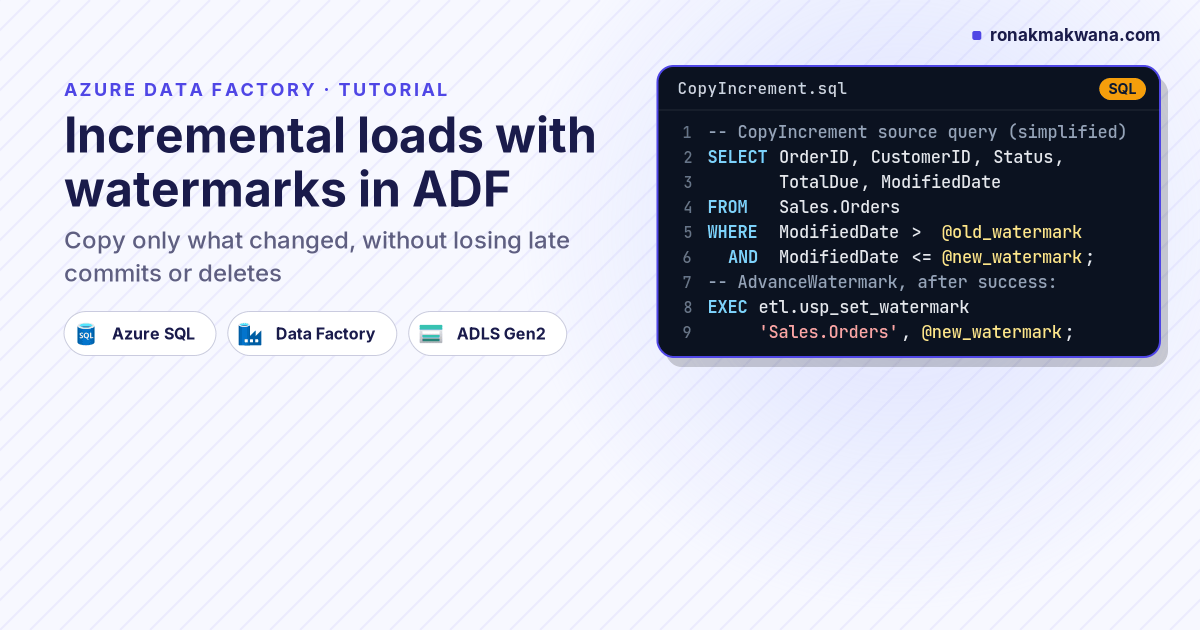
Copying an entire table every night works until the table gets big. The watermark pattern copies only the rows that changed since the last run: store the highest value of a “last changed” column after each load, and next time ask the source only for rows above it. It’s the most common incremental pattern in Azure Data Factory, and Microsoft’s own incremental-copy tutorial is built on it.
This tutorial builds a watermark-based incremental load from Azure SQL Database to ADLS Gen2, then looks closely at the two places it silently loses data (late-committing transactions and deletes) and how to close those gaps.
Applies to: Azure Data Factory (V2), Azure SQL Database or SQL Server sources, ADLS Gen2 sink. The same logic applies to Fabric Data Factory pipelines.
How it works
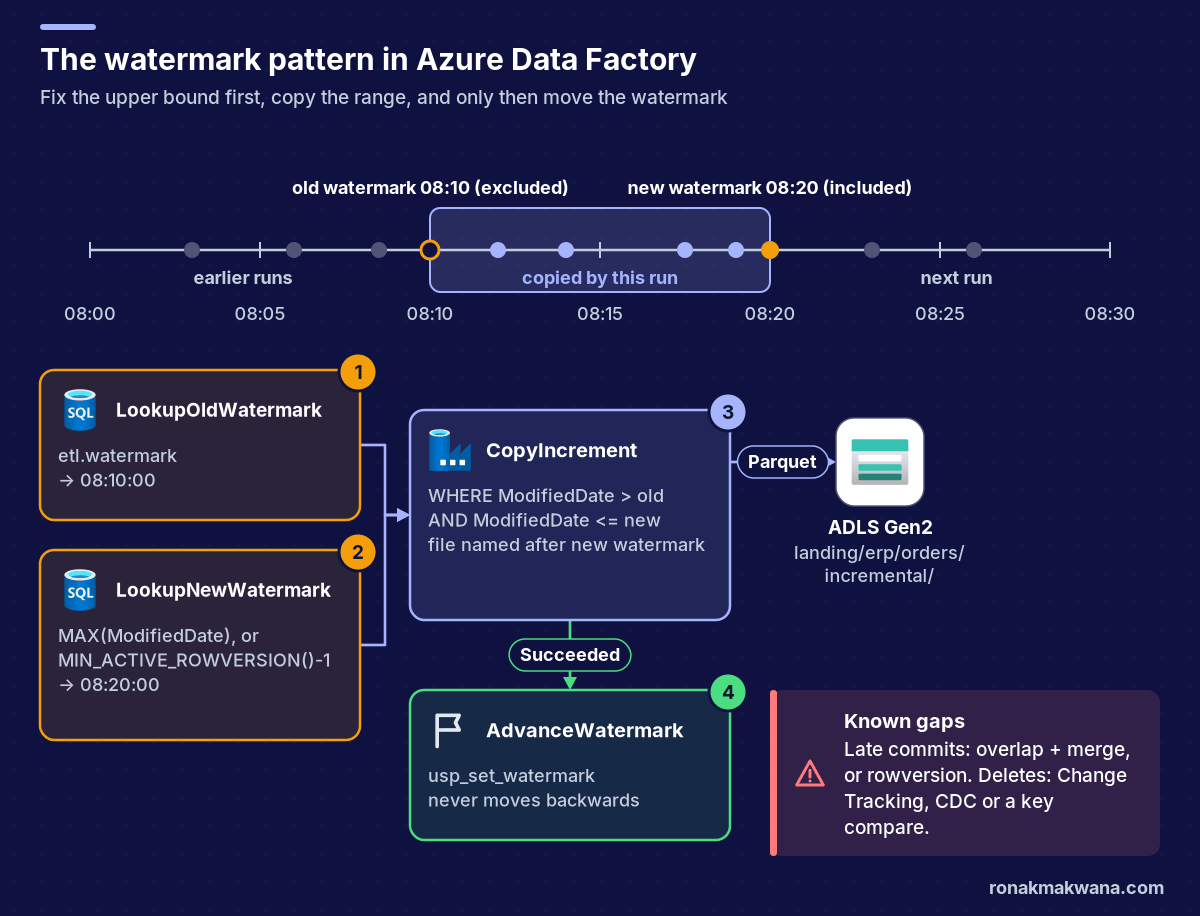
Microsoft’s incremental-copy overview describes a watermark as a column holding a last-updated timestamp or an incrementing key; each run loads the rows between the old and the new watermark. Each run:
- Reads the old watermark saved by the previous run.
- Reads the new watermark: the current maximum of the watermark column in the source.
- Copies rows where
column > oldandcolumn <= new. - Saves the new watermark, but only if the copy succeeded.
Fixing the upper bound before copying matters. Rows written while the copy runs have values above new, so they’re left for the next run instead of being half-captured.
Prerequisites
- A data factory with managed identity access to the source database and to an ADLS Gen2 container.
- A source table with a reliable change column. This tutorial uses
Sales.Orders.ModifiedDate(datetime2, set on every insert and update). - A parameterised SQL dataset and Parquet dataset, as in Building Metadata-Driven Pipelines in Azure Data Factory.
Step 1: Choose the watermark column
| Column type | Captures updates? | Watch out for |
|---|---|---|
Last-modified datetime2 | Yes, if every write path sets it | Application code or bulk fixes that bypass it; transactions that commit after a later timestamp was read |
| Identity / increasing key | No, inserts only | Fine for append-only tables such as event logs |
rowversion | Yes, maintained by the database engine | Not a time value; it’s an incrementing binary number per database |
If you control the schema, rowversion is the most reliable choice for SQL Server and Azure SQL because the engine updates it on every insert and update. A last-modified column depends on every writer remembering to set it.
Step 2: Create the watermark table and procedure
CREATE TABLE etl.watermark (
    table_name      sysname      NOT NULL PRIMARY KEY,
    watermark_value datetime2(3) NOT NULL,
    updated_utc     datetime2(0) NOT NULL DEFAULT SYSUTCDATETIME()
);
INSERT INTO etl.watermark (table_name, watermark_value) VALUES ('Sales.Orders', '1900-01-01');
GO
CREATE PROCEDURE etl.usp_set_watermark @table_name sysname, @watermark_value datetime2(3)
AS
BEGIN
    SET NOCOUNT ON;
    UPDATE etl.watermark
       SET watermark_value = @watermark_value, updated_utc = SYSUTCDATETIME()
     WHERE table_name = @table_name
       AND watermark_value <= @watermark_value;   -- never move backwards
END;
The watermark_value <= @watermark_value guard stops an older, delayed run from moving the watermark backwards.
Step 3: Build the pipeline
The pipeline has four activities. The two lookups use firstRowOnly: true, and the Copy query references their outputs with output.firstRow, as in Microsoft’s portal tutorial.
[
  {
    "name": "LookupOldWatermark",
    "type": "Lookup",
    "typeProperties": {
      "source": { "type": "AzureSqlSource",
        "sqlReaderQuery": "SELECT watermark_value FROM etl.watermark WHERE table_name = 'Sales.Orders'" },
      "dataset": { "referenceName": "ds_sql_generic", "type": "DatasetReference" },
      "firstRowOnly": true
    }
  },
  {
    "name": "LookupNewWatermark",
    "type": "Lookup",
    "typeProperties": {
      "source": { "type": "AzureSqlSource",
        "sqlReaderQuery": "SELECT MAX(ModifiedDate) AS new_watermark FROM Sales.Orders" },
      "dataset": { "referenceName": "ds_sql_generic", "type": "DatasetReference" },
      "firstRowOnly": true
    }
  },
  {
    "name": "CopyIncrement",
    "type": "Copy",
    "dependsOn": [
      { "activity": "LookupOldWatermark", "dependencyConditions": [ "Succeeded" ] },
      { "activity": "LookupNewWatermark", "dependencyConditions": [ "Succeeded" ] }
    ],
    "policy": { "timeout": "0.02:00:00", "retry": 2, "retryIntervalInSeconds": 120 },
    "typeProperties": {
      "source": {
        "type": "AzureSqlSource",
        "sqlReaderQuery": {
          "value": "SELECT OrderID, CustomerID, Status, TotalDue, ModifiedDate FROM Sales.Orders WHERE ModifiedDate > '@{activity('LookupOldWatermark').output.firstRow.watermark_value}' AND ModifiedDate <= '@{activity('LookupNewWatermark').output.firstRow.new_watermark}'",
          "type": "Expression"
        }
      },
      "sink": { "type": "ParquetSink", "storeSettings": { "type": "AzureBlobFSWriteSettings" } }
    },
    "inputs": [ { "referenceName": "ds_sql_generic", "type": "DatasetReference" } ],
    "outputs": [ {
      "referenceName": "ds_lake_parquet", "type": "DatasetReference",
      "parameters": {
        "container": "landing",
        "folder": "erp/orders/incremental",
        "file": "@concat('orders_', formatDateTime(activity('LookupNewWatermark').output.firstRow.new_watermark, 'yyyyMMddHHmmssfff'), '.parquet')"
      }
    } ]
  },
  {
    "name": "AdvanceWatermark",
    "type": "SqlServerStoredProcedure",
    "dependsOn": [ { "activity": "CopyIncrement", "dependencyConditions": [ "Succeeded" ] } ],
    "linkedServiceName": { "referenceName": "ls_sql_source", "type": "LinkedServiceReference" },
    "typeProperties": {
      "storedProcedureName": "etl.usp_set_watermark",
      "storedProcedureParameters": {
        "table_name":      { "value": "Sales.Orders", "type": "String" },
        "watermark_value": { "value": "@{activity('LookupNewWatermark').output.firstRow.new_watermark}", "type": "DateTime" }
      }
    }
  }
]
The output file is named after the new watermark, so rerunning a failed run (whose watermark wasn’t advanced) rewrites the same file instead of producing a duplicate. Set the pipeline’s concurrency to 1 so two runs never read the same old watermark at once.
If the source table is empty, MAX(ModifiedDate) returns NULL. Wrap it as COALESCE(MAX(ModifiedDate), '1900-01-01') or add an If Condition that skips the copy.
Step 4: Run and verify
- Trigger the pipeline. The first run copies every row (old watermark is 1900-01-01).
- Check
etl.watermark:watermark_valuenow equals the table’s maximumModifiedDate. - Update two orders in the source and run again. The new file contains exactly those two rows, and the Copy activity’s
rowsCopiedoutput is 2. - Run once more without changes. The copy returns zero rows and the watermark stays where it was.
The gap: transactions that commit late
The > old AND <= new range assumes that once you’ve read the maximum, no row with a lower value can appear. In a busy OLTP database that isn’t guaranteed. A transaction can set ModifiedDate to 08:07, stay open for a few minutes, and commit after your run has already read a maximum of 08:10. The next run asks for rows after 08:10, and the 08:07 row is never copied.
The script below simulates that with SQLite: three rows are loaded, then a row stamped 08:07 “commits” after the watermark reached 08:10. With no overlap, the late row is lost. With a 15-minute overlap on the lower bound and an upsert-by-key target, it’s captured without duplicates.
def run_load(old_wm, overlap_minutes=0):
    new_wm = src.execute("SELECT MAX(modified_at) FROM orders").fetchone()[0]
    lower = src.execute("SELECT datetime(?, ?)", (old_wm, f"-{overlap_minutes} minutes")).fetchone()[0]
    rows = src.execute(
        "SELECT order_id, amount, modified_at FROM orders WHERE modified_at > ? AND modified_at <= ? ORDER BY order_id",
        (lower, new_wm)).fetchall()
    return rows, new_wm
overlap= 0 run1 copied [1, 2, 3]  watermark -> 2026-02-13 08:10:00
overlap= 0 run2 copied [5]  watermark -> 2026-02-13 08:20:00
overlap= 0 target keys [1, 2, 3, 5]  (source has 5)
overlap=15 run1 copied [1, 2, 3]  watermark -> 2026-02-13 08:10:00
overlap=15 run2 copied [1, 2, 3, 4, 5]  watermark -> 2026-02-13 08:20:00
overlap=15 target keys [1, 2, 3, 4, 5]  (source has 5)
Three ways to close the gap, from simplest to most robust:
- Overlap plus idempotent merge. Subtract a safety margin from the lower bound (for example
@{addMinutes(activity('LookupOldWatermark').output.firstRow.watermark_value, -15)}) and merge into the target by primary key, so re-read rows overwrite rather than duplicate. Pick a margin longer than your longest expected transaction. rowversionwithMIN_ACTIVE_ROWVERSION(). The SQL Server docs describeMIN_ACTIVE_ROWVERSION()as returning the lowest rowversion still used by an uncommitted transaction. UsingCONVERT(bigint, MIN_ACTIVE_ROWVERSION()) - 1as the new watermark, instead ofMAX, guarantees you never step past an open transaction.- Change Tracking or CDC. Microsoft’s incremental-copy overview lists Change Tracking as a separate pattern, and it also reports deletes, which leads to the second gap.
The other gap: deletes
A deleted row has no ModifiedDate to compare, so a watermark load never sees it. If the target must reflect deletes, either use soft deletes in the source (an IsDeleted flag that updates ModifiedDate), switch to Change Tracking or CDC, or run a periodic key comparison: copy all primary keys and remove target rows whose key no longer exists.
Scaling it to many tables
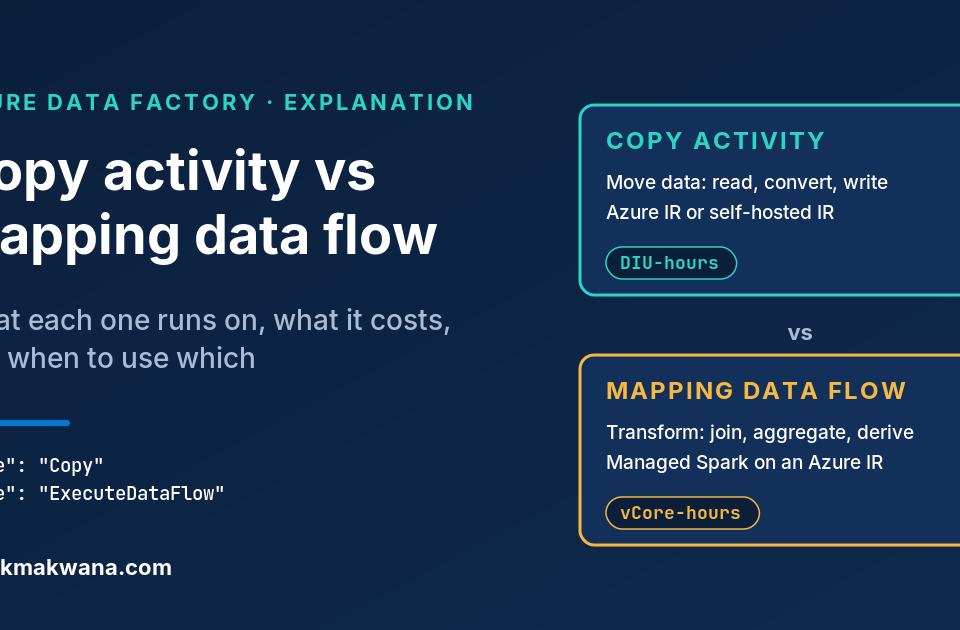
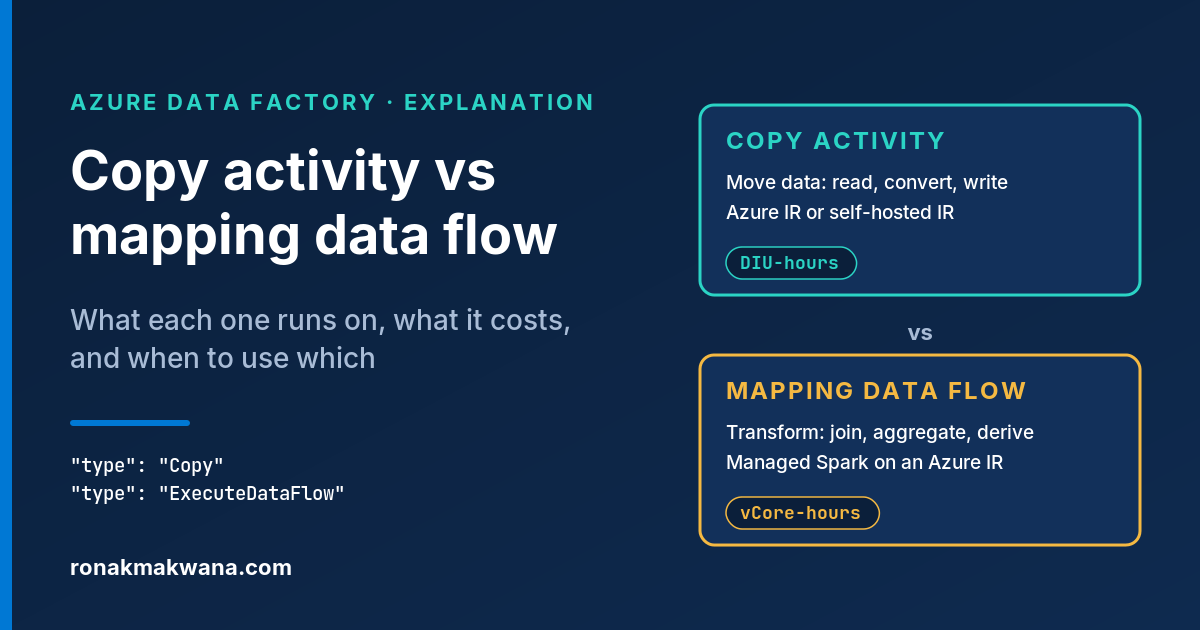
Add watermark_column and watermark_value columns to the control table from the metadata-driven post, and move these four activities into the worker pipeline called by its ForEach. Everything else stays the same. Process explicit windows and keep the copy idempotent, as described in Designing Production-Ready ETL Pipelines. If you’re choosing between a Copy activity and a data flow for the downstream merge, Copy activity vs mapping data flow covers that trade-off.
Clean up
- Delete the test pipeline and the files under
landing/erp/orders/incremental/. - Drop the test objects:
DROP PROCEDURE etl.usp_set_watermark; DROP TABLE etl.watermark;
About this article
The watermark simulation (Python 3 with the standard-library sqlite3 module) was run locally, and the output shown is from that run; the script is included in the post folder as watermark_sim.py. The Data Factory pipeline JSON was checked to be well-formed but wasn’t run against a live factory, and the T-SQL wasn’t run against Azure SQL Database. Last checked against official documentation: October 2026.
Sources
- Incrementally copy data: overview of patterns (Microsoft Learn)
- Incrementally copy a table using the Azure portal (Microsoft Learn)
- Lookup activity (Microsoft Learn)
- Monitor copy activity (Microsoft Learn)
- rowversion (Transact-SQL) (Microsoft Learn)
- MIN_ACTIVE_ROWVERSION (Transact-SQL) (Microsoft Learn)
- Incremental copy with Change Tracking (Microsoft Learn)
- Expressions and functions (Microsoft Learn)