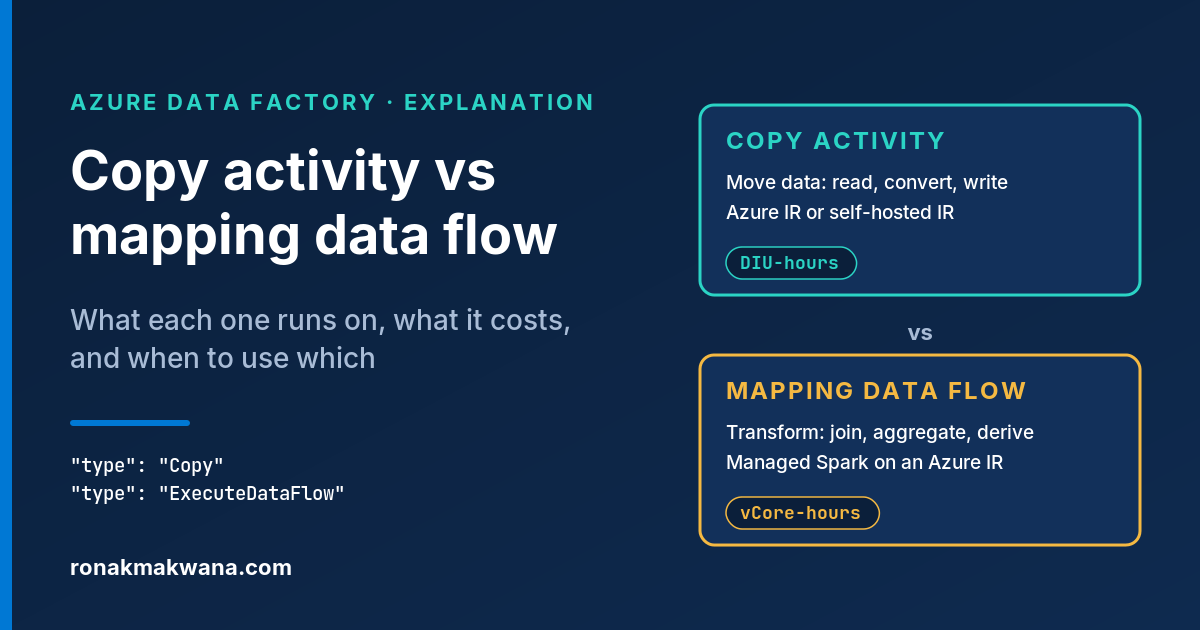
Azure Data Factory has two built-in ways to get data from A to B: the copy activity and the mapping data flow. Both read a source, write a sink and map columns, so they can look interchangeable. They aren’t. One is a data movement engine; the other is a Spark job that ADF builds and runs for you. Picking the wrong one rarely fails outright. It just costs more, runs slower or can’t reach the data.
This post covers what each one is, where they differ, how they’re combined and when neither fits. It ends with a decision guide.
Applies to: Azure Data Factory (most of it also applies to Azure Synapse Analytics pipelines, which support mapping data flows too). Behaviour, limits and billing units were checked against Microsoft Learn and the official Azure pricing page on 8 October 2026. ADF features, connector support and pricing change over time, so check the linked pages before relying on a specific detail. Names are synthetic (storage account stdemolake01, Azure SQL database sqldb-demo). The JSON and data flow script snippets are illustrative: they follow the documented syntax but weren’t run against a live factory.
The short answer
- Use the copy activity to move data between stores, including column renames, type conversion, format conversion (CSV to Parquet, for example) and simple JSON flattening. It’s the only one of the two that can run on a self-hosted integration runtime.
- Use a mapping data flow when you need real transformations such as joins, lookups, aggregates, pivots, window functions or row-level data quality rules, and you want to build them visually rather than in code.
- Use both when the source is on-premises or the pipeline has a raw zone: copy lands the data, then a data flow (or another engine) transforms it.
What the copy activity is
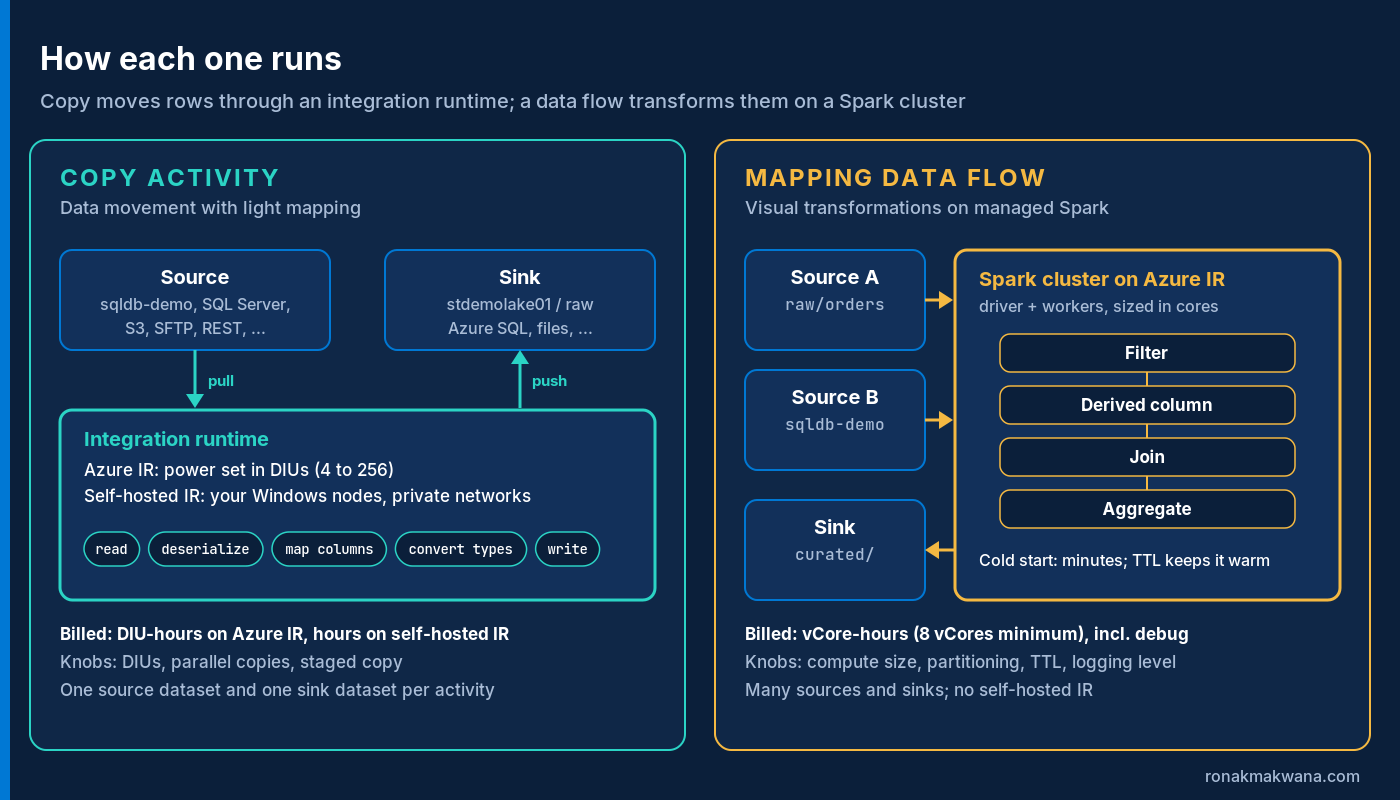
The copy activity reads one source dataset, deserializes it, applies column mapping and type conversion, and writes one sink dataset. Binary copies between file stores skip serialization entirely.
It runs on an integration runtime (IR):
- Azure IR: fully managed, serverless compute for public endpoints (or private endpoints through a managed virtual network), sized per run in Data Integration Units (DIUs).
- Self-hosted IR: software on Windows machines inside your network, for on-premises or private stores. If either linked service uses one, the copy runs there and both stores must be reachable from it. One copy activity can’t span two self-hosted IRs.
It can also do some light shaping:
- Map columns by name (the default, case-sensitive) or explicitly, including renames, subsets and ordinals for headerless CSV.
- Convert data types (tabular data only), with settings such as
allowDataTruncationanddateFormat. - Extract JSON fields and cross-apply one array into rows; the docs point to data flows for anything more advanced.
- Add columns such as the source file path (
$$FILEPATH), a pipeline expression or a static value. - Auto-create SQL sink tables, skip and log incompatible rows, verify data consistency, and resume large binary copies after a failure.
What it can’t do is combine data: no join, aggregate or lookup against another source. A SQL source can filter and join in its sqlReaderQuery, but then the database does the work, not ADF.
What a mapping data flow is
A mapping data flow is a visually designed transformation that ADF runs on an ADF-managed Spark cluster. You build a graph of sources, transformations and sinks; behind it sits the data flow script (the Script button). Pipelines run it with the Data Flow activity (ExecuteDataFlow).
Data flows always run on an Azure IR, whose data flow settings define the cluster: compute type, core count and time to live (TTL). Each job gets an isolated, just-in-time cluster, and Microsoft’s performance guide says cold start-up generally takes 3 to 5 minutes. A TTL keeps the cluster warm for the next sequential data flow. It isn’t available on the default AutoResolve IR and doesn’t help parallel runs, since a cluster runs one job at a time.
Side-by-side comparison
| Aspect | Copy activity | Mapping data flow |
|---|---|---|
| Purpose | Data movement with light mapping and type conversion | Visual, code-free data transformation |
| Engine | Integration runtime data movement | ADF-managed Apache Spark cluster |
| Runtimes | Azure IR, managed virtual network IR, self-hosted IR | Azure IR only (including managed virtual network) |
| Sources and sinks | One source and one sink per activity; the widest connector list | Multiple sources and sinks per flow; a smaller, Azure-focused connector list |
| Transformations | Column mapping, type conversion, additional columns, basic JSON flattening | Join, lookup, exists, union, aggregate, pivot, window, rank, alter row, assert, flatten, parse and more |
| Start-up | No Spark cluster to start | Cold cluster start-up (generally 3 to 5 minutes per the docs) unless a TTL cluster is warm |
| Main tuning knobs | DIUs, parallel copies, staged copy, source partitioning, self-hosted IR nodes | Compute size (cores), Optimize-tab partitioning, TTL, logging level, source and sink settings |
| Billing unit | DIU-hours on Azure IR; hours on self-hosted IR | vCore-hours for execution and debugging (8 vCores minimum) |
| Schema drift | Default by-name mapping copies whatever columns arrive | Allow schema drift, column patterns, rule-based mapping, byName() |
| Interactive debugging | Pipeline debug runs and copy monitoring | Debug sessions with data preview at each step |
Connectors and runtimes
This is often the deciding factor. The connector overview lists copy and data flow support in separate columns, and they differ a lot. As of 8 October 2026:
- Both: core Azure stores (Blob Storage, ADLS Gen2, Azure SQL Database, SQL Managed Instance, Synapse, Cosmos DB for NoSQL) plus a few others such as Snowflake, Amazon S3, SFTP, generic REST, Dataverse and Dynamics 365.
- Copy only: most other databases and apps, including Oracle, DB2, MySQL, PostgreSQL (non-Azure), Teradata, SAP Table, SAP HANA, Salesforce, ServiceNow, Azure Files, file system, FTP and generic ODBC.
- Data flow only: a handful of preview connectors, such as Asana, Smartsheet and Zendesk.
The runtime matters as much as the connector. The self-hosted IR supports data movement and activity dispatch, not data flows, so a data flow can’t read an on-premises file share through it. (For on-premises SQL Server, the connector docs describe a managed virtual network with a private endpoint.) Microsoft describes data flows as working with staging datasets that are all in Azure, which leads to the combined pattern below.
Formats differ slightly too: data flows read and write Delta (inline) on Blob Storage and ADLS Gen2, while the copy activity reaches Delta tables through the Azure Databricks Delta Lake connector.
Transformations: where the line is
A practical test: if each output row depends only on its input row (rename, cast, add a constant), copy can usually do it. If it depends on other rows or another dataset (deduplicate, join to a dimension, sum by day, keep the latest record per key), you need a transformation engine.
Data flows cover that group with Aggregate, Alter row (upsert and delete policies), Assert, Conditional split, Derived column, Exists, Join, Lookup, Pivot, Rank, Window, Flatten, Parse, Surrogate key, Union, External call and more; see the transformation overview.
Performance knobs
Copy activity
- DIUs (Azure IR only): 4 to 256. Auto picks a value from the source-sink pair and data pattern (a single-file copy defaults to 4), and the DIUs used can be lower than what you set.
- Parallel copies: the maximum parallel threads across all DIUs or nodes. It works per file for file copies, and for SQL sources it takes effect with a partition option. Higher values add load to source and sink.
- Staged copy: routes data through Blob Storage or ADLS Gen2, for Synapse PolyBase, Snowflake, Redshift or HDFS loads, port-443-only firewalls, or compression over slow hybrid links. Both stages are billed.
- Self-hosted IR: scale up (more concurrent jobs) if CPU and memory are free; scale out (more nodes) if not.
Throughput is capped by the slowest of source, sink and network; extra DIUs won’t fix a saturated database.
Mapping data flow
- Compute size: Small is 4 driver + 4 worker cores, Medium 8+8, Large 16+16, with custom sizes above. Microsoft’s minimum recommendation for most production workloads is General Purpose 8+8 with a 10-minute TTL. More cores than data partitions won’t help.
- Partitioning (Optimize tab): keep “Use current partitioning” unless you have a reason such as skew after a join; avoid Single partition.
- Sources and sinks: prefer Parquet, and read a folder or wildcard in one run instead of a ForEach over files, which starts a cluster per iteration.
- Logging level: drop from Verbose (default) to Basic or None once a flow is stable.
Cost model
Both are pay-per-use but metered differently. Prices vary by region and agreement, so get numbers from the ADF pipeline pricing page and calculator. The units are:
- Orchestration: activity runs, trigger executions and debug runs, for any activity type.
- Copy on Azure IR: DIUs used × copy duration × the DIU-hour price. On a self-hosted IR, data movement is charged per hour. Copying data out of an Azure datacenter adds outbound data transfer charges.
- Mapping data flow: vCore-hours for execution and debugging, by compute type and core count, with an 8-vCore minimum, prorated by the minute and rounded up. Managed disk and blob storage used by data flows is billed too, and reserved capacity is available.
Two traps follow. Clusters bill while warm, so TTL time and open debug sessions cost money. And a data flow used only to move data pays for Spark cores to do a copy activity’s job. To see what a run consumed, open the pipeline run’s Consumption view or check billableDuration in the activity output.
Schema drift
The copy activity’s default by-name mapping tolerates drift from run to run: new columns flow through to file sinks. An existing sink table, though, must already contain every copied column, and explicit mappings stay fixed until you edit them.
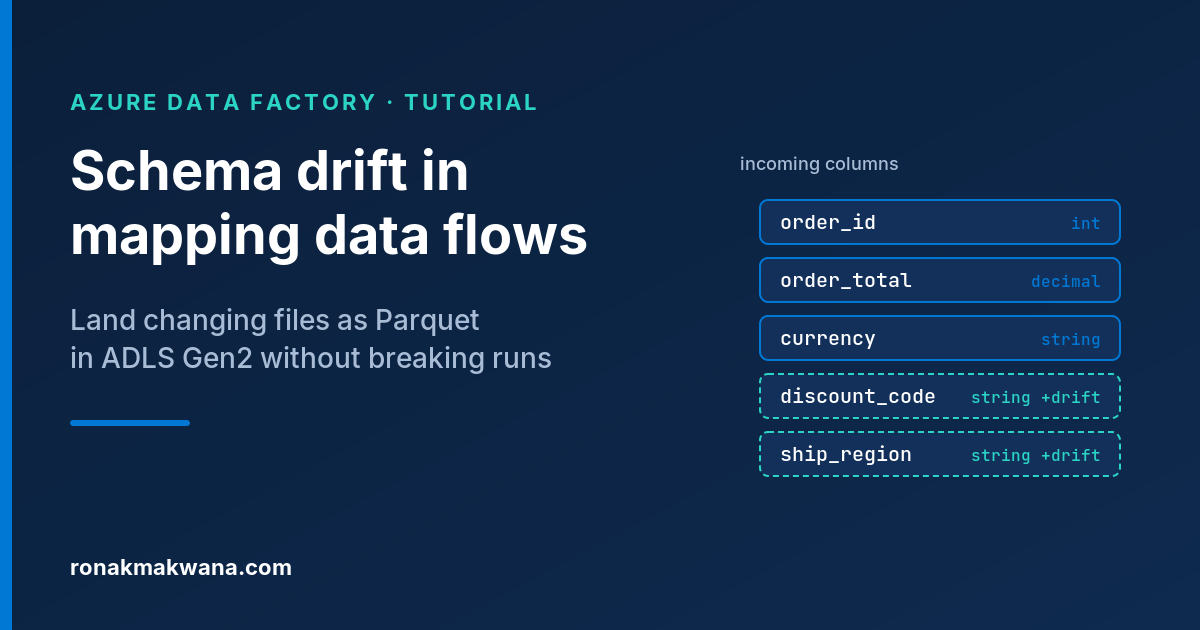
Data flows give more control. With Allow schema drift on, drifted columns arrive as strings unless you enable Infer drifted column types, and you handle them with byName(), column patterns and rule-based mapping. The trade-off is late binding: drifted columns don’t appear in design-time schema views. For a worked example, see How to Fix ADF Mapping Data Flows That Break on Schema Drift When Writing Parquet to ADLS Gen2.
Debugging and monitoring
For copy, you debug the pipeline and read the monitoring output: data and rows read and written, DIUs and parallel copies used, stage durations and tuning tips. Session logs show skipped rows or files.
Data flows have debug mode: the Data Flow Debug slider starts a cluster (8 cores of general compute with a 60-minute default TTL on the AutoResolve IR) and each transformation gets a row-limited Data Preview. Worth knowing:
- Data preview doesn’t write to sinks; use a pipeline debug run to test them.
- Pipeline debug runs use the debug cluster, not the activity’s IR, which applies only to triggered runs.
- Each browser debug session has its own cluster, billed while running, TTL included. Switch it off when done.
For triggered runs, the data flow monitoring view (eyeglasses icon) shows start-up time, stage durations, partitioning and sink time, which is where bottlenecks show up.
What the definitions look like
These snippets are illustrative only. They follow the syntax on Microsoft Learn but weren’t deployed or run against a live factory. Dataset, IR and object names are synthetic.
A copy activity that loads one day’s order CSV files from stdemolake01 into a staging table in sqldb-demo:
{
  "name": "Copy_RawOrders_To_Staging",
  "type": "Copy",
  "inputs":  [ { "referenceName": "ds_stdemolake01_raw_orders_csv", "type": "DatasetReference" } ],
  "outputs": [ { "referenceName": "ds_sqldb_demo_stg_orders", "type": "DatasetReference" } ],
  "typeProperties": {
    "source": {
      "type": "DelimitedTextSource",
      "storeSettings": {
        "type": "AzureBlobFSReadSettings",
        "recursive": true,
        "wildcardFileName": "orders_*.csv"
      },
      "formatSettings": { "type": "DelimitedTextReadSettings" }
    },
    "sink": {
      "type": "AzureSqlSink",
      "preCopyScript": "TRUNCATE TABLE stg.Orders"
    },
    "translator": {
      "type": "TabularTranslator",
      "mappings": [
        { "source": { "name": "order_id" },   "sink": { "name": "OrderId" } },
        { "source": { "name": "order_date" }, "sink": { "name": "OrderDate" } },
        { "source": { "name": "region" },     "sink": { "name": "Region" } },
        { "source": { "name": "status" },     "sink": { "name": "Status" } },
        { "source": { "name": "amount" },     "sink": { "name": "Amount" } }
      ],
      "typeConversion": true,
      "typeConversionSettings": { "allowDataTruncation": false, "dateFormat": "yyyy-MM-dd" }
    },
    "dataIntegrationUnits": 8
  }
}
Leave out dataIntegrationUnits to let the service choose (Auto). The folder path for the day would normally sit in the parameterized dataset.
A data flow script that does what the copy activity can’t: type the raw columns, filter, then aggregate completed orders by day and region. The source and sink datasets are bound in the data flow definition, not in the script.
source(output(
        OrderId as string,
        OrderDate as string,
        Region as string,
        Status as string,
        Amount as string
    ),
    allowSchemaDrift: true,
    validateSchema: false) ~> RawOrders
RawOrders derive(OrderDate = toDate(OrderDate, 'yyyy-MM-dd'),
    Region = upper(trim(Region)),
    Amount = toDecimal(Amount, 18, 2)) ~> TypedOrders
TypedOrders filter(Status == 'COMPLETE' && !isNull(Amount)) ~> CompletedOrders
CompletedOrders aggregate(groupBy(OrderDate, Region),
    TotalAmount = sum(Amount),
    OrderCount = count()) ~> DailySalesByRegion
DailySalesByRegion sink(allowSchemaDrift: true,
    validateSchema: false) ~> CuratedDailySales
And the pipeline activity that runs it on a dedicated Azure IR, where the compute size and TTL are configured:
{
  "name": "Transform_DailySales",
  "type": "ExecuteDataFlow",
  "typeProperties": {
    "dataflow": { "referenceName": "df_daily_sales_by_region", "type": "DataFlowReference" },
    "integrationRuntime": { "referenceName": "ir-dataflow-uksouth", "type": "IntegrationRuntimeReference" },
    "traceLevel": "Coarse"
  }
}
compute.coreCount and compute.computeType can be set on the activity only when it uses the AutoResolve IR. With a named IR like this one, the IR’s settings apply.
Patterns that combine them
Land raw with copy, then transform
The most common layout: a copy activity extracts from the source (often through a self-hosted IR) into a raw ADLS Gen2 folder such as abfss://[email protected]/sales/orders/, ideally as Parquet. A data flow then reads the folder in one run and writes curated output. Extraction stays cheap and replayable, and the data flow gets an Azure source it supports. The transform step can equally be a Databricks notebook. If you go that way, Databricks Notebook Fails with AnalysisException: Path Does Not Exist on ADLS Gen2 covers the most common hand-off problem.
ELT pushdown into Azure SQL
If the destination is Azure SQL Database or Synapse and the logic is joins, merges and aggregates, you may not need Spark. Copy into a staging table (as in the snippet above), then run a Stored Procedure or Script activity to MERGE into the target. The Script activity supports Azure SQL Database, Synapse, SQL Server, Azure Database for PostgreSQL, Oracle and Snowflake. The pricing page lists stored procedure activities as external pipeline activities, metered per hour rather than in vCore-hours. The trade-off: logic lives in T-SQL and uses the database’s compute.
When neither is the right tool
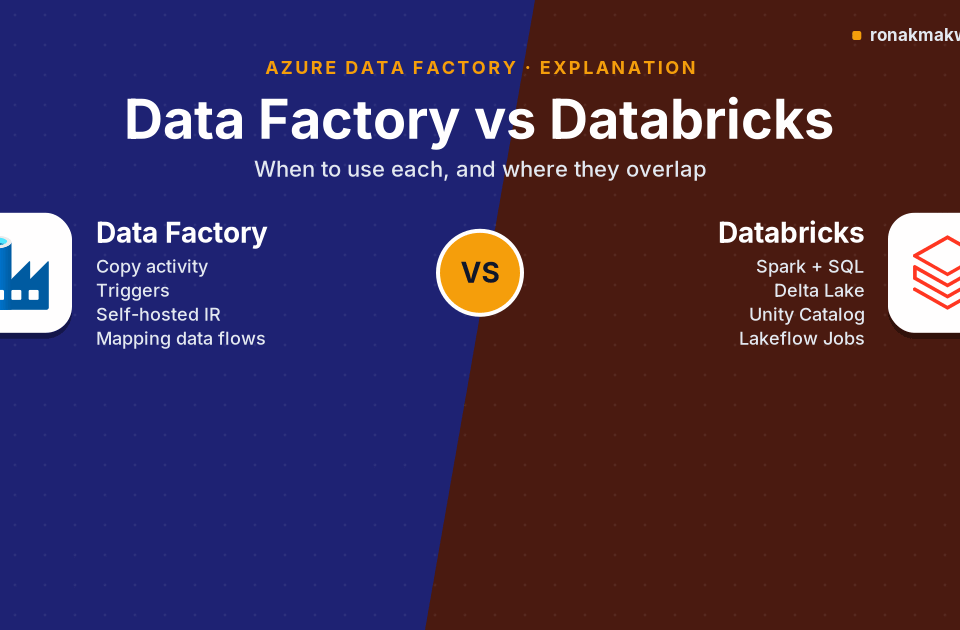
- Code-first or complex logic (custom libraries, heavy Python, ML, streaming, a tested Delta lakehouse): Azure Databricks, orchestrated with ADF’s Databricks Notebook, Jar or Python activities, usually fits better than a huge data flow graph.
- Microsoft Fabric estates: Microsoft Learn describes Data Factory in Microsoft Fabric as the next generation of ADF, with Copy job and pipelines for movement and Dataflow Gen2 for transformation (Mapping Data Flow transforms in Dataflow Gen2 and the ADF migration experience were in preview when checked). Treat it as a platform decision, not a like-for-like swap.
- Logic the source can do: filter or pre-aggregate in the source query before the data moves at all.
Decision guide
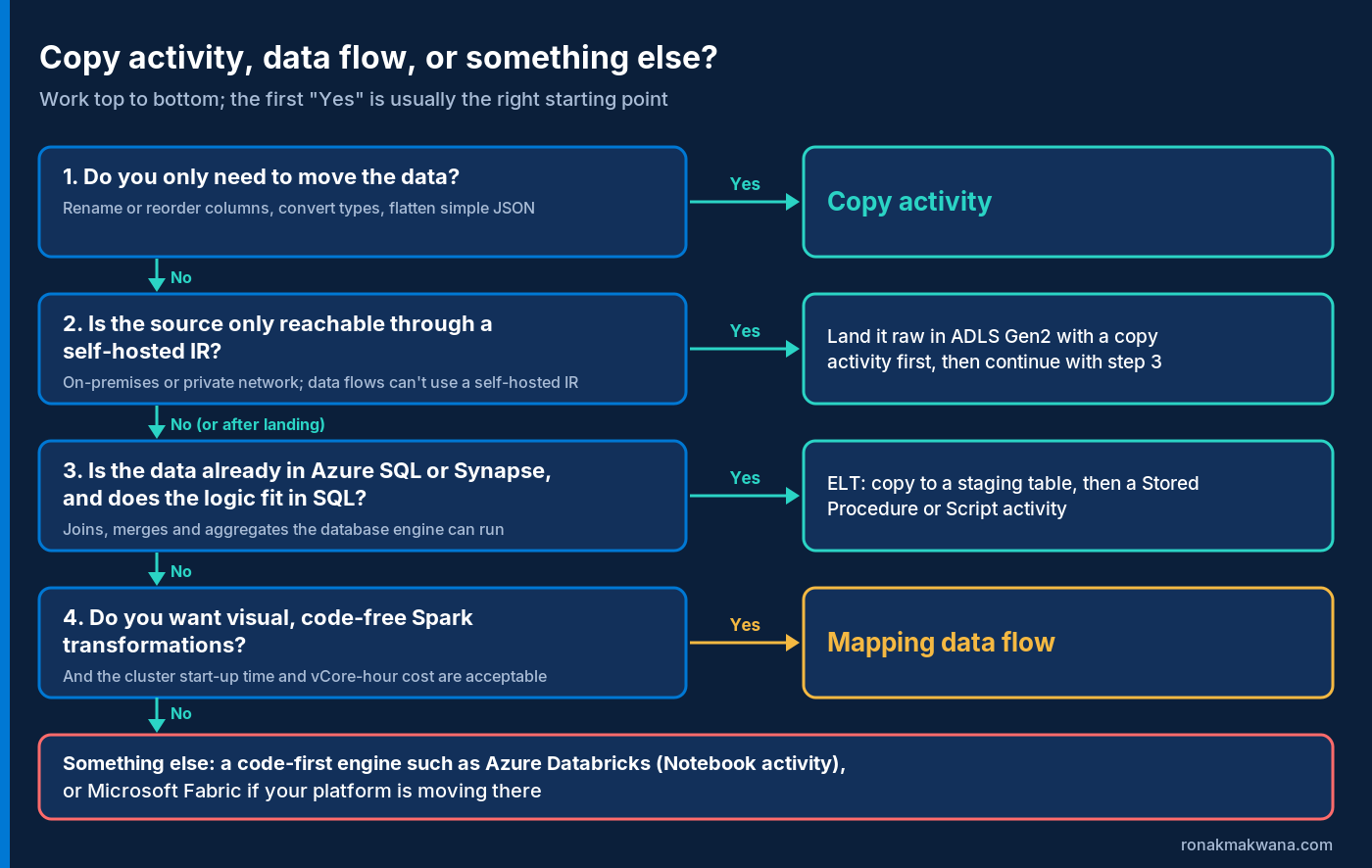
- Only moving data (renames, type or format conversion, simple JSON flattening)? Copy activity.
- Source behind a self-hosted IR or on a copy-only connector? Copy it to ADLS Gen2 first, then continue.
- Data in Azure SQL or Synapse and logic that fits in SQL? Copy to staging, then Stored Procedure or Script activity.
- Cross-row or cross-dataset logic you want to build visually, and start-up time and vCore-hours are acceptable? Mapping data flow on a right-sized Azure IR.
- Code-heavy, streaming, ML or lakehouse work? Databricks, or Fabric if your platform is heading there.
Whichever you pick, run a representative sample and read its consumption figures before scaling up, as Microsoft’s cost guidance suggests.
Sources
- Copy activity in Azure Data Factory and Azure Synapse Analytics (Microsoft Learn)
- Schema and data type mapping in copy activity (Microsoft Learn)
- Copy activity performance and scalability guide (Microsoft Learn)
- Copy activity performance optimization features (Microsoft Learn)
- Monitor copy activity (Microsoft Learn)
- Fault tolerance of copy activity (Microsoft Learn)
- Mapping data flows in Azure Data Factory (Microsoft Learn)
- Mapping data flow transformation overview (Microsoft Learn)
- Source transformation in mapping data flows (Microsoft Learn)
- Sink transformation in mapping data flow (Microsoft Learn)
- Mapping data flow script (Microsoft Learn)
- Conversion functions in mapping data flows (Microsoft Learn)
- Data Flow activity (Microsoft Learn)
- Mapping data flows performance and tuning guide (Microsoft Learn)
- Optimizing source performance in mapping data flow (Microsoft Learn)
- Sink performance and best practices in mapping data flow (Microsoft Learn)
- Optimizing performance of the Azure Integration Runtime (Microsoft Learn)
- Schema drift in mapping data flow (Microsoft Learn)
- Mapping data flow Debug Mode (Microsoft Learn)
- Integration runtime in Azure Data Factory (Microsoft Learn)
- Connector overview (Microsoft Learn)
- Copy and transform data to and from SQL Server (Microsoft Learn)
- Copy and transform data in Azure SQL Database (Microsoft Learn)
- Copy and transform data in Azure Data Lake Storage Gen2 (Microsoft Learn)
- Transform data in Azure Data Factory (Microsoft Learn)
- Transform data by using the Script activity (Microsoft Learn)
- Transform data by using the Stored Procedure activity (Microsoft Learn)
- Plan to manage costs for Azure Data Factory (Microsoft Learn)
- Understand reservations discount for Azure Data Factory data flows (Microsoft Learn)
- Azure Data Factory data pipeline pricing (Microsoft Azure)
- A guide to Dataflow Gen2 for mapping data flow users (Microsoft Fabric) (Microsoft Learn)
- What is Copy job in Data Factory for Microsoft Fabric? (Microsoft Learn)
- Plan an upgrade from Azure Data Factory to Fabric Data Factory (Microsoft Learn)