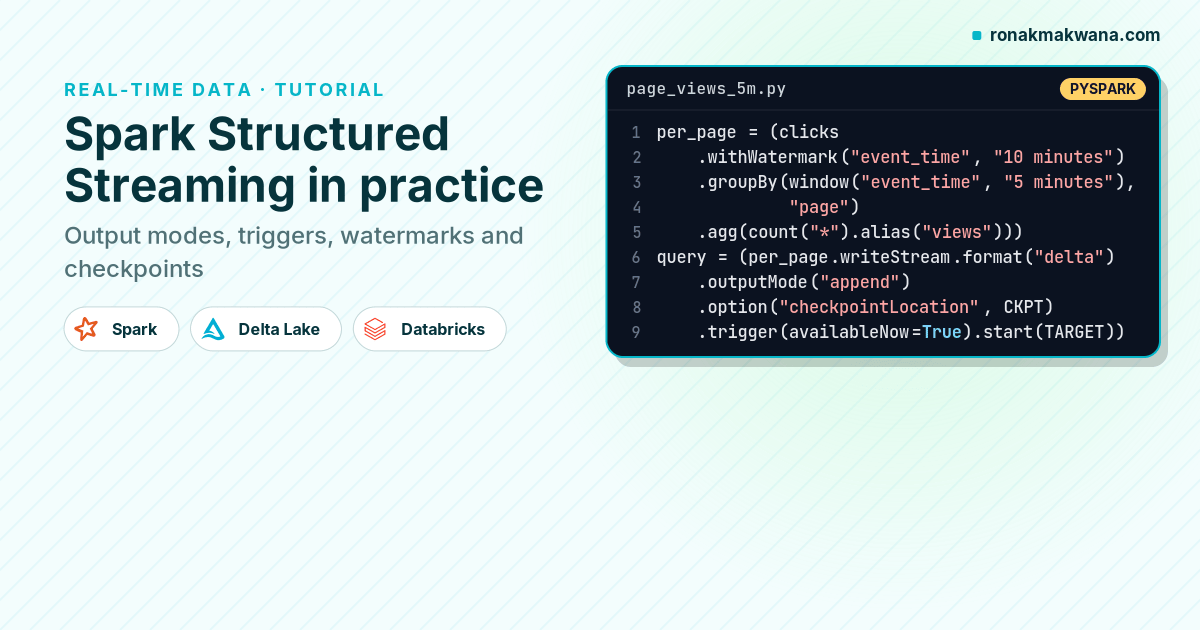
Structured Streaming is Spark’s stream processing engine. Its central idea is that you write a query against a DataFrame as if it were a static table, and Spark runs that query incrementally as new data arrives. The API is small, but a handful of concepts (output modes, triggers, watermarks and checkpoints) decide whether a stream behaves correctly in production.
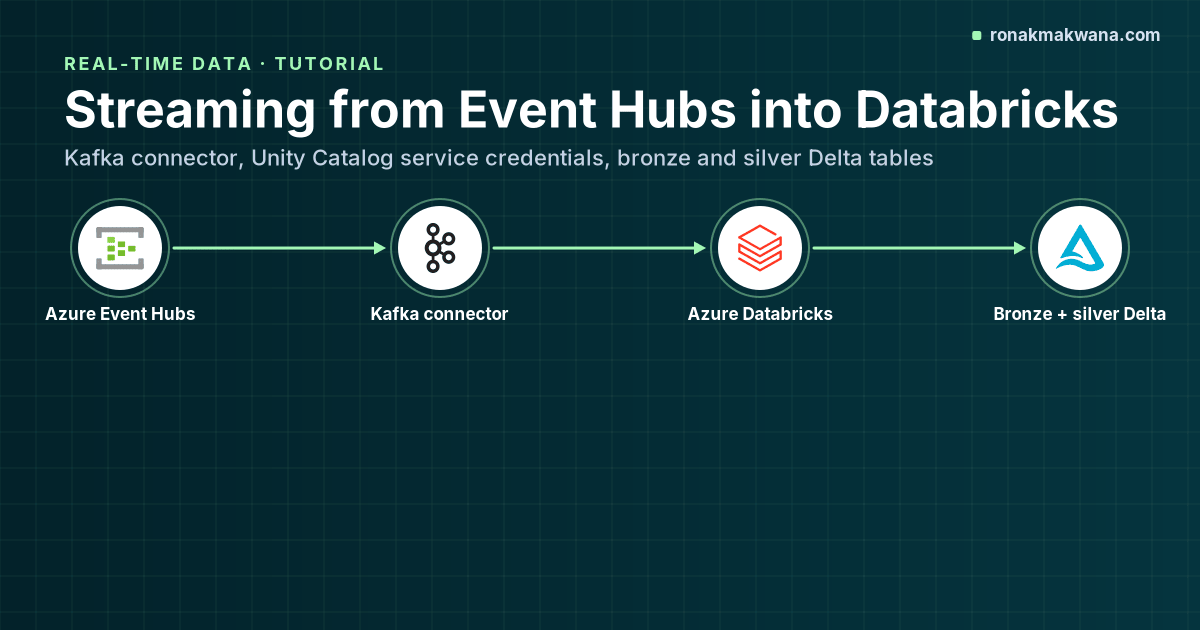
This guide works through those concepts with one runnable example: a clickstream landing as JSON files, aggregated into five-minute page-view windows in a Delta table. I ran it locally on Apache Spark 4.0.4 with Delta Lake 4.0.1, and the outputs shown below come from that run. The same code runs on Azure Databricks; for the Event Hubs source, see Building Streaming Data Pipelines with Azure Event Hubs and Databricks.
The mental model
Spark treats a stream as an unbounded input table. Every trigger, new rows are appended to that table, Spark runs your query over just the new data (plus any state it keeps, such as running aggregates), and writes the result to a sink. Most of the work happens in micro-batches.
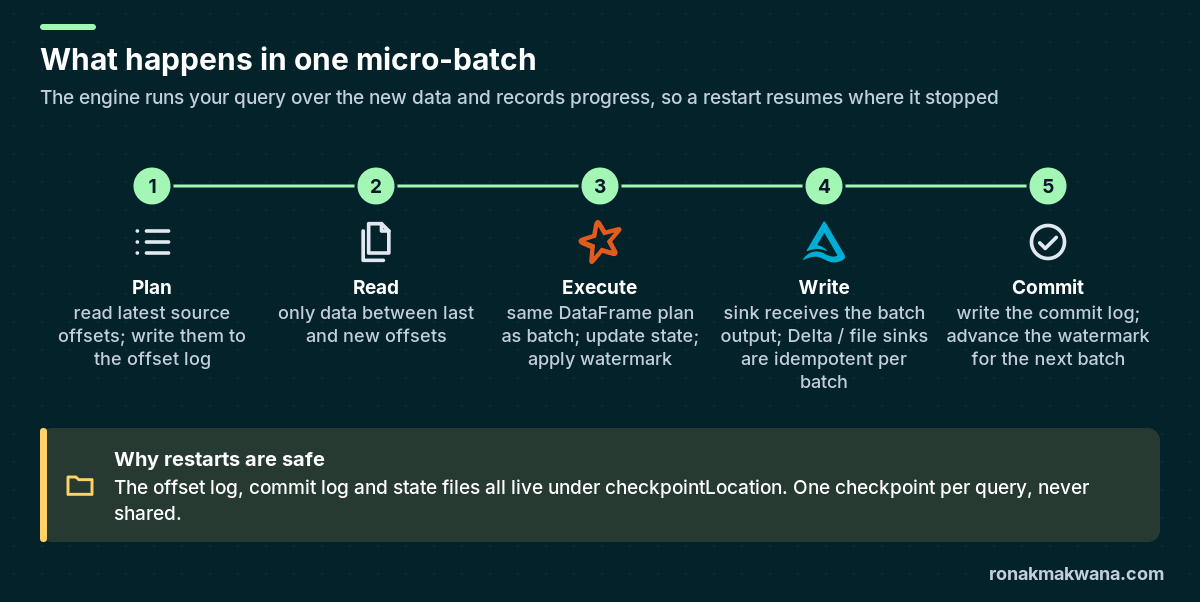
Because the offsets of each batch are written before it runs and a commit is written after the sink succeeds, a restarted query knows exactly which batch to redo. With a replayable source (files, Kafka, Event Hubs, Delta) and an idempotent sink (Delta, file sink), the Spark documentation describes this as end-to-end exactly-once.
Sources and sinks
| Type | Examples | Notes |
|---|---|---|
| Sources | File (JSON, CSV, Parquet, ORC, text), Kafka, Delta table, rate and socket (testing only) | File sources need an explicit schema by default. Kafka gives binary key/value columns you deserialise yourself. |
| Sinks | File, Kafka, Delta, foreachBatch, foreach, console and memory (debugging) | File and Delta sinks are exactly-once with a checkpoint. foreachBatch is at-least-once unless you make it idempotent. |
Step 1: Set up a local session
Install pyspark and delta-spark with pip (I used pyspark 4.0.4 and delta-spark 4.0.1 on Java 21). Set the session time zone to UTC so window boundaries are easy to read.
from delta import configure_spark_with_delta_pip
from pyspark.sql import SparkSession
from pyspark.sql.functions import window, count, sum as sum_
from pyspark.sql.types import StructType, StructField, StringType, TimestampType, DoubleType

builder = (SparkSession.builder.master("local[2]").appName("ss-guide")
    .config("spark.sql.session.timeZone", "UTC")
    .config("spark.sql.shuffle.partitions", "4")
    .config("spark.sql.extensions", "io.delta.sql.DeltaSparkSessionExtension")
    .config("spark.sql.catalog.spark_catalog",
            "org.apache.spark.sql.delta.catalog.DeltaCatalog"))
spark = configure_spark_with_delta_pip(builder).getOrCreate()

BASE = "/tmp/lake"
LANDING = f"{BASE}/landing/clicks"
Lowering spark.sql.shuffle.partitions matters more for streaming than for batch. Stateful operators keep one state store per shuffle partition, and the default of 200 creates a lot of tiny tasks and state files for a small stream. Pick the value before the first run, because it’s fixed for a query once its checkpoint exists.
Step 2: Define the streaming query
schema = StructType([
    StructField("user_id", StringType()),
    StructField("page", StringType()),
    StructField("event_time", TimestampType()),
    StructField("duration_s", DoubleType()),
])

clicks = (spark.readStream
    .schema(schema)                     # file sources need an explicit schema
    .option("maxFilesPerTrigger", 10)   # cap the size of each micro-batch
    .json(LANDING))

per_page = (clicks
    .withWatermark("event_time", "10 minutes")
    .groupBy(window("event_time", "5 minutes"), "page")
    .agg(count("*").alias("views"),
         sum_("duration_s").alias("total_duration_s")))

query = (per_page.writeStream
    .format("delta")
    .outputMode("append")
    .option("checkpointLocation", f"{BASE}/_checkpoints/page_views_5m")
    .trigger(availableNow=True)
    .start(f"{BASE}/page_views_5m"))
query.awaitTermination()
Everything between readStream and writeStream is ordinary DataFrame code. The streaming-specific choices are the watermark, the output mode, the checkpoint and the trigger.
Step 3: Understand output modes
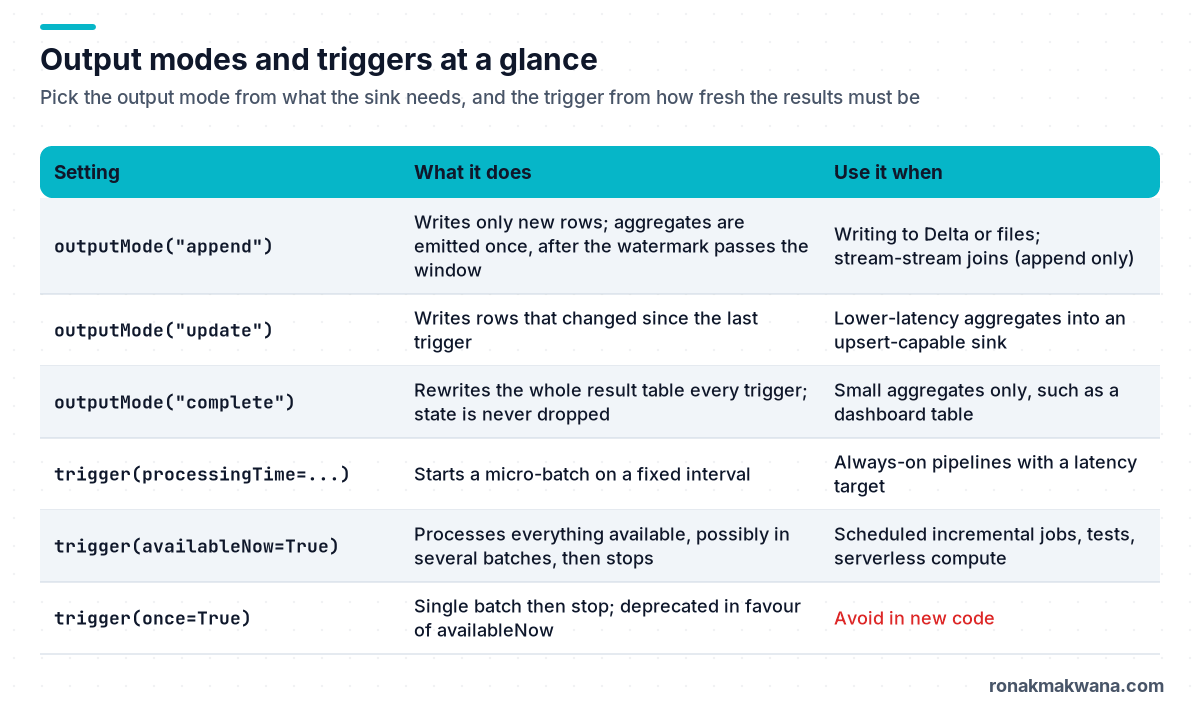
With an aggregation, append mode only writes a window once Spark is sure it won’t change, which is when the watermark moves past the window’s end. That’s why append plus a watermark is the standard choice for writing aggregates to Delta or files: each row is written exactly once. Update mode writes partial results sooner but rewrites changing rows, so the sink must handle upserts. Complete mode rewrites the full result each time and never drops state; use it only for small result sets.
Step 4: Watch the watermark work
I landed 16 click events between 10:00 and 10:30 and ran the query. The watermark is the maximum event time seen (10:30) minus the 10-minute delay, so 10:20. Windows that end at or before 10:20 are final and get written:
run1 watermark: 2026-06-10T10:20:00.000Z
+-----+-----+--------+-----+
|start|  end|    page|views|
+-----+-----+--------+-----+
|10:00|10:05|   /home|    1|
|10:00|10:05|/pricing|    2|
|10:05|10:10|   /home|    1|
|10:05|10:10|/pricing|    1|
|10:10|10:15|   /home|    2|
|10:10|10:15|/pricing|    1|
|10:15|10:20|   /home|    1|
|10:15|10:20|/pricing|    1|
+-----+-----+--------+-----+
The 10:20–10:30 windows stay in state. Then I landed a second file with one late event (10:03, well behind the watermark) and one new event (10:40), and ran the query again from the same checkpoint. The progress reports show the late row being dropped, the watermark moving to 10:30, and a follow-up batch with no input rows that emits the windows the new watermark has closed:
run2 batch 2 rows 2 watermark 2026-06-10T10:20:00.000Z droppedByWatermark [1]
run2 batch 3 rows 0 watermark 2026-06-10T10:30:00.000Z droppedByWatermark [0]
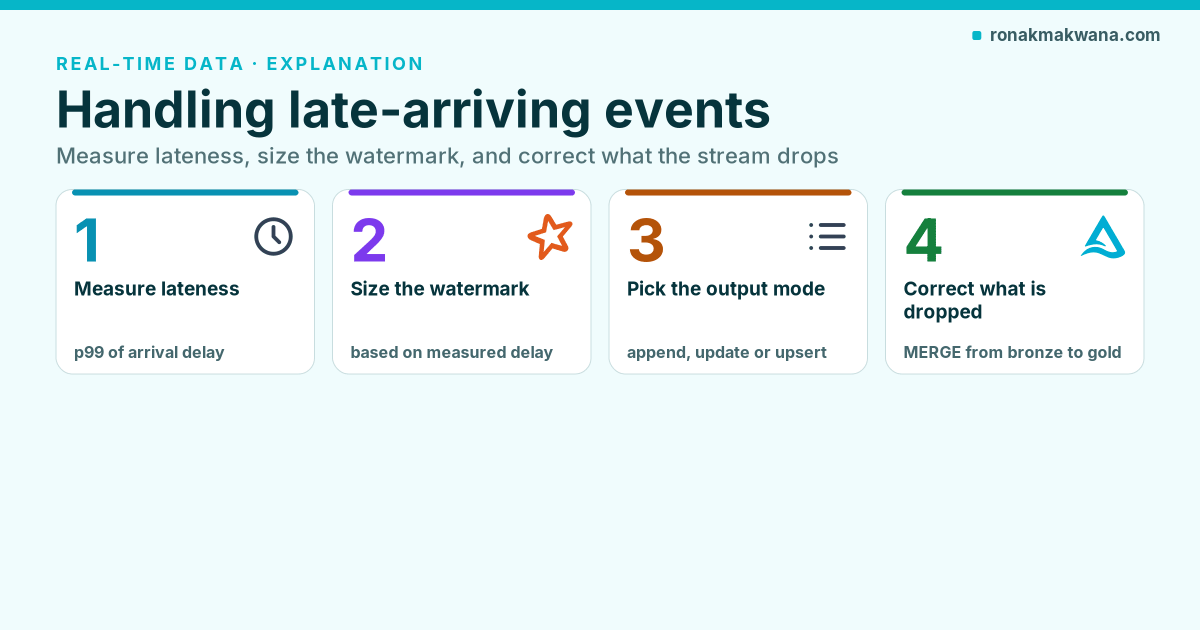
Two things to take from this. First, the watermark used in a batch is the one computed at the end of the previous batch. Second, the guarantee is one-directional: the Spark documentation says data within the delay is never dropped, while data later than that may or may not be aggregated. The next post in this series goes deeper into strategies for late-arriving data.
Step 5: Choose a trigger
- Default (no trigger): the next micro-batch starts as soon as the previous one finishes.
processingTime="30 seconds": a micro-batch at a fixed interval. Use it for always-on pipelines.availableNow=True: process everything available now, possibly across several batches that respect rate limits such asmaxFilesPerTrigger, then stop. This turns a stream into an incremental batch job you can schedule, and it’s what I used above so the script ends on its own.once=True: deprecated; the Spark docs recommendavailableNowinstead.continuous="1 second": experimental continuous processing with a limited set of operations. Azure Databricks doesn’t support it; Databricks offers its own real-time mode for low-latency workloads.
Step 6: Upserts with foreachBatch
When a sink needs MERGE semantics, for example a “latest status per user” table, use foreachBatch. It hands you each micro-batch as a regular DataFrame plus a batch ID.
from delta.tables import DeltaTable
from pyspark.sql import Window
from pyspark.sql.functions import row_number, col

def upsert_latest(batch_df, batch_id):
    w = Window.partitionBy("user_id").orderBy(col("event_time").desc())
    latest = (batch_df.withColumn("rn", row_number().over(w))
                      .where("rn = 1").drop("rn"))
    target = DeltaTable.forPath(spark, f"{BASE}/user_last_page")
    (target.alias("t")
        .merge(latest.alias("s"), "t.user_id = s.user_id")
        .whenMatchedUpdateAll(condition="s.event_time > t.event_time")
        .whenNotMatchedInsertAll()
        .execute())

(clicks.writeStream
    .foreachBatch(upsert_latest)
    .option("checkpointLocation", f"{BASE}/_checkpoints/user_last_page")
    .trigger(processingTime="30 seconds")
    .start())
Create the target table once before starting the stream. The MERGE condition makes the write idempotent: replaying the same batch after a failure produces the same result, which matters because foreachBatch is at-least-once.
Step 7: Monitor the query
Every query exposes lastProgress and recentProgress, JSON objects with numInputRows, inputRowsPerSecond, processedRowsPerSecond, batch durations, the current watermark, state operator metrics (including numRowsDroppedByWatermark) and per-source offsets. To push these to a monitoring system, register a StreamingQueryListener, available in PySpark since 3.4:
from pyspark.sql.streaming import StreamingQueryListener

class ProgressLogger(StreamingQueryListener):
    def onQueryStarted(self, event):
        print(f"started {event.name} {event.id}")

    def onQueryProgress(self, event):
        p = event.progress
        print(p.name, p.batchId, p.numInputRows,
              p.inputRowsPerSecond, p.processedRowsPerSecond)

    def onQueryIdle(self, event):
        pass

    def onQueryTerminated(self, event):
        print(f"terminated {event.id} exception={event.exception}")

spark.streams.addListener(ProgressLogger())
Name every query with .queryName() so metrics are attributable. The rule of thumb: if inputRowsPerSecond stays above processedRowsPerSecond, the query is falling behind.
Production rules of thumb
- One checkpoint per query, on durable storage, never shared or hand-edited.
- Set a watermark on every stateful query (aggregations, deduplication, stream-stream joins) or state grows without bound.
- Know which changes break a checkpoint: changing the number or type of sources, subscribed topics, or the schema of stateful operations isn’t allowed between restarts.
- Rate-limit sources (
maxFilesPerTrigger,maxOffsetsPerTrigger) so a backlog doesn’t create a huge first batch. - For large state, consider the RocksDB state store provider, built into Spark since 3.2.
- For complex custom state, Spark 4.0 introduced
transformWithState, which the docs now recommend overmapGroupsWithState/flatMapGroupsWithStatefor new applications.
Clean up
Locally, stop the session with spark.stop() and delete the /tmp/lake folder, including _checkpoints. Deleting a checkpoint means the next run starts from scratch, so in a real environment only do that deliberately.
About this article
The session setup, file-source query, watermark run and the two output blocks were executed locally on Apache Spark 4.0.4 with Delta Lake 4.0.1 (Java 21, local mode); the outputs are copied from that run. The foreachBatch MERGE and the StreamingQueryListener were also run locally against the same landing data, using availableNow instead of the 30-second trigger so the script would finish. Nothing was run on Azure Databricks.
Last checked against official documentation: October 2026.
Sources
- Structured Streaming programming guide (Apache Spark)
- Structured Streaming: getting started (Apache Spark)
- APIs on DataFrames and Datasets: sources, sinks, watermarks, triggers (Apache Spark)
- Structured Streaming additional information (Apache Spark)
- pyspark.sql.streaming.StreamingQueryListener (PySpark API)
- Table streaming reads and writes (Delta Lake documentation)
- Configure Structured Streaming trigger intervals (Azure Databricks)
- Apply watermarks to control data processing thresholds (Azure Databricks)