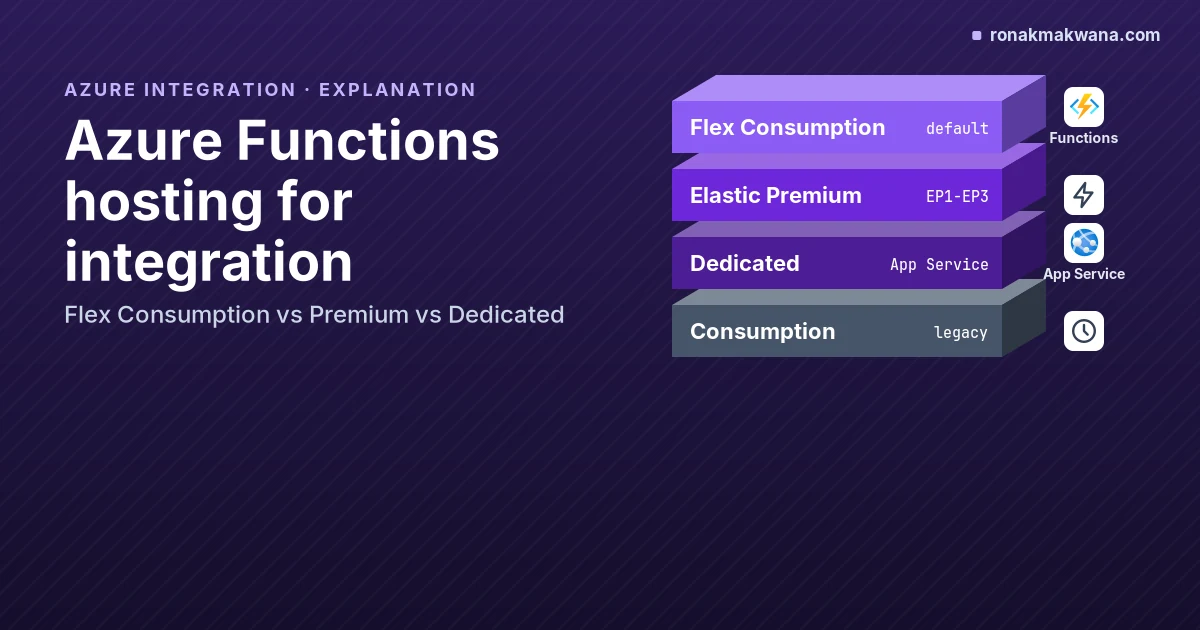
If you’re building Azure Functions that sit in an integration path, such as a Service Bus queue consumer, an Event Hubs stream processor or an HTTP API published through API Management, the hosting plan decides how the app scales, whether it can reach a private namespace, how long a single execution may run and how you pay. This guide compares the plans from that angle. Everything below is as of November 2026, per Microsoft Learn; limits change, so the links point to the pages to recheck.
Decision summary
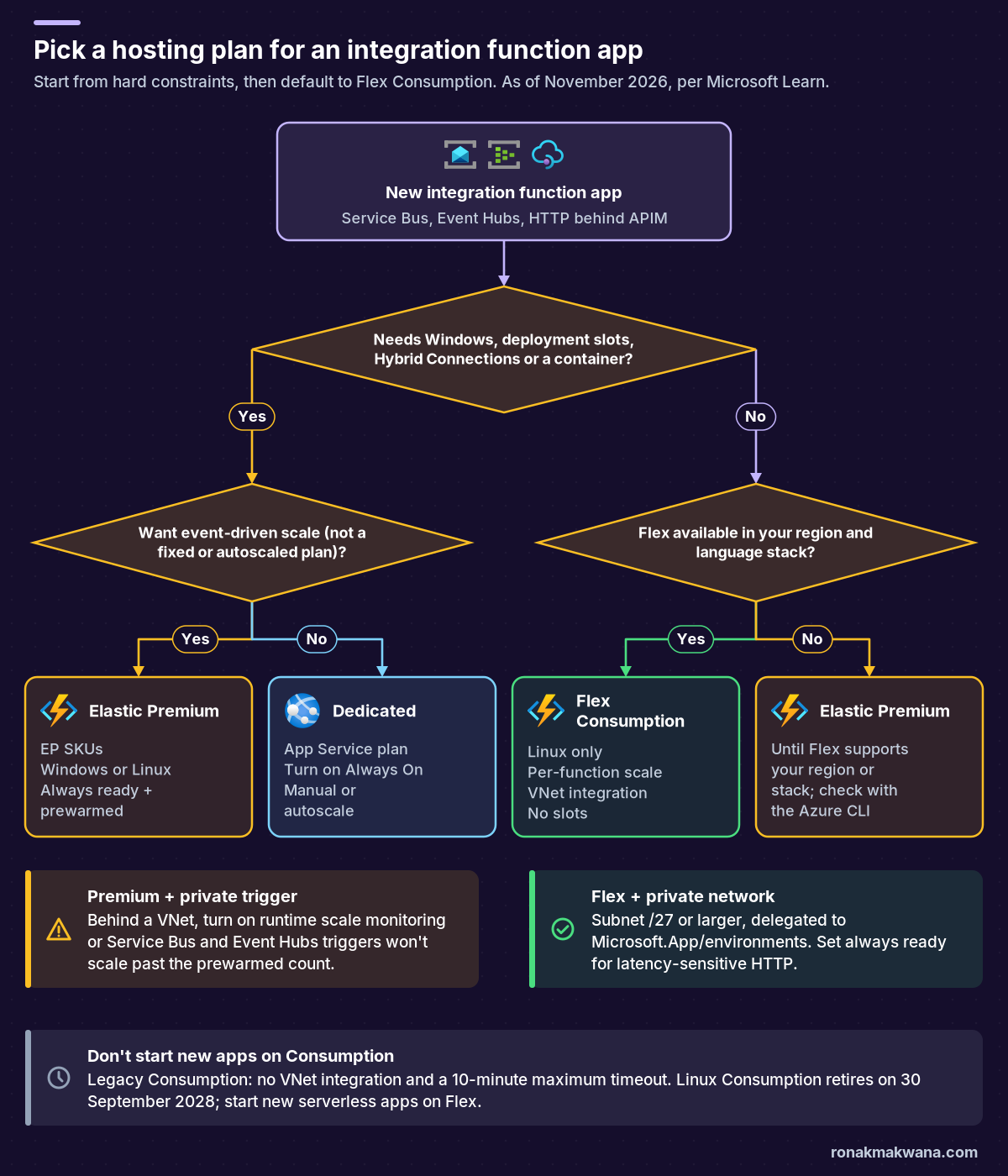
- Start new integration apps on Flex Consumption. Microsoft Learn calls it the recommended serverless plan. It’s Linux-only, scales each non-HTTP function on its own instances, supports VNet integration and inbound private endpoints, and lets you keep always ready instances to cut cold starts (Flex Consumption plan).
- Pick Elastic Premium (EP1-EP3) when you need something Flex doesn’t offer: Windows, deployment slots, a custom Linux container, Hybrid Connections, several function apps sharing one plan, or a region or language version Flex doesn’t support yet (Premium plan).
- Pick Dedicated (an App Service plan) when you already pay for an underused plan, need fully predictable billing or manual scaling, or need App Service Environment isolation. There’s no event-driven scaling, and you should turn on Always On (Dedicated plan).
- Don’t start new apps on Consumption. Learn now labels it legacy. It has no VNet integration and a 10-minute maximum timeout, and hosting on Linux in a Consumption plan retires on 30 September 2028 (Consumption plan).
- On every plan, an HTTP-triggered function has 230 seconds to respond, whatever
functionTimeoutsays. Long work behind APIM must go asynchronous (hosting options).
Flex Consumption vs Premium vs Dedicated at a glance
These values come from the hosting comparison, the plan pages and the networking article on Microsoft Learn (Azure Functions hosting options, networking options). Legacy Consumption is included for comparison only.
Scale, runtime and limits
| Flex Consumption | Premium | Dedicated | Consumption (legacy) | |
|---|---|---|---|---|
| OS | Linux only | Windows, Linux | Windows, Linux | Windows (Linux retiring) |
| Scaling | Per function, event-driven | Per app, event-driven | Manual or autoscale | Per app, event-driven |
| Max instances | 1,000 per function group (default 100) | Windows 100; Linux 20-100 by region | 10-30 (100 in ASE) | Windows 200 |
| Instance size | 512 MB, 2 GB or 4 GB | EP1-EP3: 3.5-14 GB | By App Service SKU | 1.5 GB |
| Cold start | Optional always ready | Always ready + prewarmed | Always On | Expected |
| Timeout default / max | 30 min / unbounded | 30 min / unbounded | 30 min / unbounded | 5 / 10 min |
| Apps per plan | 1 | 100 | Depends on load | 100 |
| Deployment slots | None (rolling updates) | 3 per app | 1-20 by SKU | 2 |
Networking, reliability and billing
| Flex Consumption | Premium | Dedicated | Consumption (legacy) | |
|---|---|---|---|---|
| Outbound VNet | Yes | Yes | Yes | No |
| Inbound private endpoint | Yes | Yes | Yes | No |
| Hybrid Connections | No | Windows only | Windows only | No |
| Zone redundancy | Yes | Yes | Yes | No |
| Billing | Executions + memory while running + always ready | Cores and memory of allocated instances | App Service plan rate | Executions + GB-s |
| Idle cost | None, unless always ready | At least one instance | Whole plan | None |
Two notes on the numbers. Flex’s maximum applies to each function group’s on-demand instances and doesn’t count always ready instances, but a regional subscription memory quota (250 cores by default) caps all Flex apps in a region together (Flex Consumption plan). Premium’s Linux maximum varies by region; Learn publishes a per-region table (for example, UK South lists 100 for both Windows and Linux) (Premium plan).
How each plan behaves for integration triggers
Service Bus queues and topics
On Flex, Premium and Consumption, Service Bus triggers use target-based scaling: the scale controller divides the queue or subscription length by the target executions per instance, which comes from maxConcurrentCalls (or maxConcurrentSessions for sessions, or the batch size for batched triggers) in host.json (target-based scaling). The differences between plans are in what scales:
- Flex Consumption scales each Service Bus function on its own instances (per-function scaling). Two queue consumers in one app don’t compete for the same instances (event-driven scaling).
- Premium scales the whole app. Learn advises one target-based trigger per app for the most accurate scaling, or Flex if you want per-function scaling (target-based scaling).
- Dedicated has no event-driven scaling. Triggers still fire, but instance count follows your manual setting or autoscale rules, which Learn says are slower than Premium’s elastic scale (Dedicated plan).
Permissions matter for scaling, not just for receiving. To read accurate message counts, the extension calls the Service Bus administration API, which needs the Manage right on a SAS policy, or the Azure Service Bus Data Owner role (or a custom role with Microsoft.ServiceBus/namespaces/*/read) for an identity-based connection. Without it there’s no startup error; the extension silently falls back to peek-based estimates and scaling can lag (Service Bus trigger).
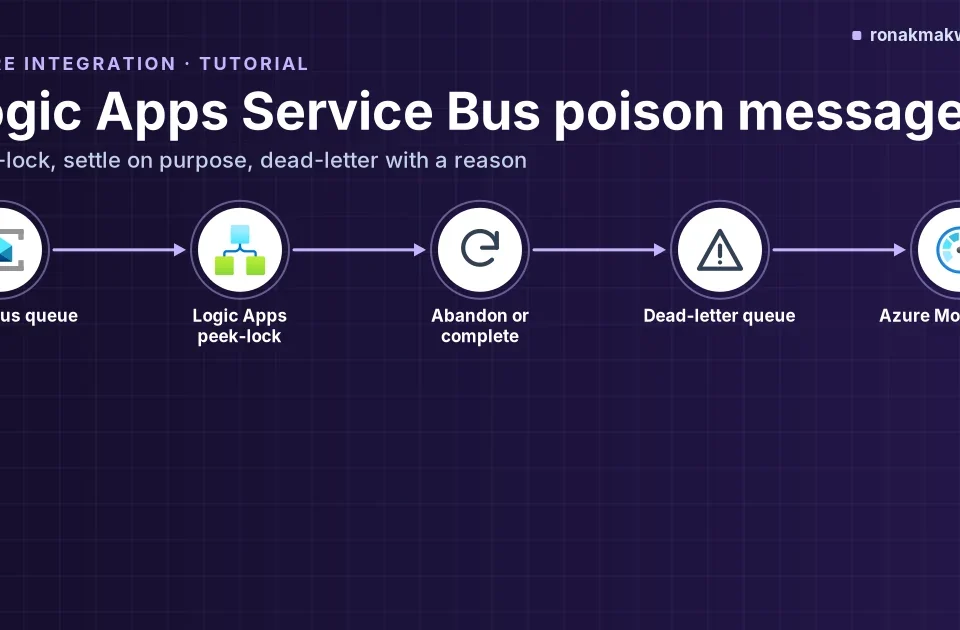
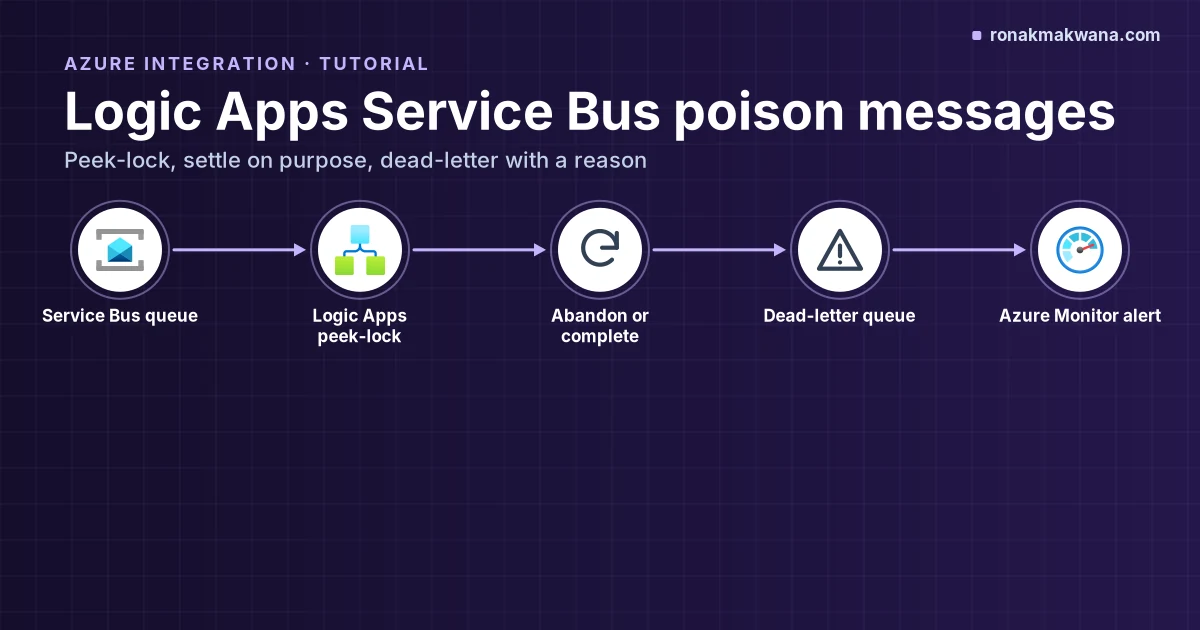
For long handlers, the runtime renews the message lock while the function runs, up to maxAutoLockRenewalDuration (5 minutes by default) for single-message triggers (Service Bus host.json settings). Poison messages are handled by Service Bus itself, through max delivery count and the dead-letter queue, which is the same mechanism covered in Logic Apps Service Bus poison messages.
host.json: per-instance concurrency for a Service Bus trigger (extension 5.x) and an explicit timeout
{
  "version": "2.0",
  "functionTimeout": "00:30:00",
  "extensions": {
    "serviceBus": {
      "maxConcurrentCalls": 16
    }
  }
}
Not executed for this post; syntax from Microsoft Learn. Replace the placeholders before you run anything. maxConcurrentCalls sits directly under serviceBus in extension 5.x; older extensions nest it under messageHandlerOptions (target-based scaling).
Event Hubs
Event Hubs triggers also use target-based scaling, based on unprocessed events across partitions. Three documented points shape capacity on any dynamic plan (target-based scaling):
- The partition count caps useful scale. The platform picks from a list of valid instance counts for your partition count (for 8 partitions: 1, 2, 3, 4 or 8), and scale-in is held for 3 minutes after a scale-up to avoid partition rebalancing.
- Setting
batchCheckpointFrequencyabove 1 can cause incorrect scaling, because unprocessed events are measured against the last checkpoint. - The Event Hubs trigger relies on
AzureWebJobsStorage, so the host storage account has to be reachable from the app’s network (connections in Azure Functions).
On Flex, each Event Hubs function scales on its own instances. On Premium, the scale is per app. On Dedicated, you size the plan yourself, so match instance count to partitions by hand.
HTTP functions behind API Management
For an API published through APIM (the setup in Publish an Azure Function HTTP trigger behind API Management), the questions are cold start, response time and inbound lockdown:
- Cold start: Flex can keep always ready instances for the HTTP group (
http=1or more); Premium keeps at least one instance warm plus a prewarmed buffer; Dedicated runs continuously with Always On; Consumption can scale to zero and cold starts are expected (event-driven scaling). - Concurrency: on Flex, all HTTP functions in an app scale together, and default HTTP concurrency depends on the instance memory size. You can set
perInstanceConcurrencyyourself (manage Flex Consumption apps). - 230-second ceiling: APIM won’t help here. For longer work, Learn suggests the Durable Functions async pattern, or deferring the work (for example to a queue) and returning an immediate response.
- Private endpoints: Flex, Premium and Dedicated accept an inbound private endpoint. Learn’s scale table notes that, on the Premium plan, HTTP triggers restricted by private endpoints scale out to at most 20 instances (hosting options).
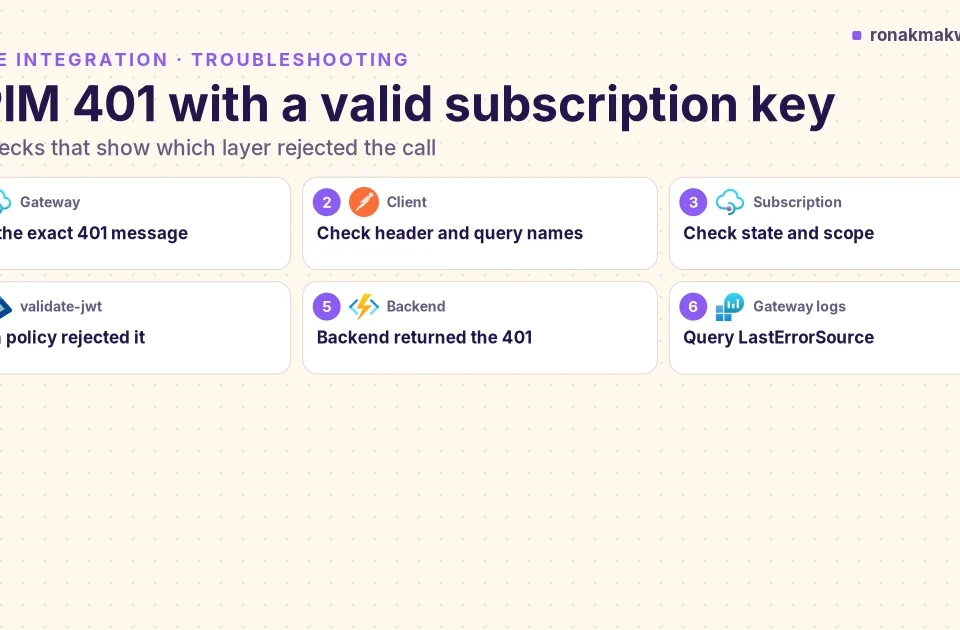
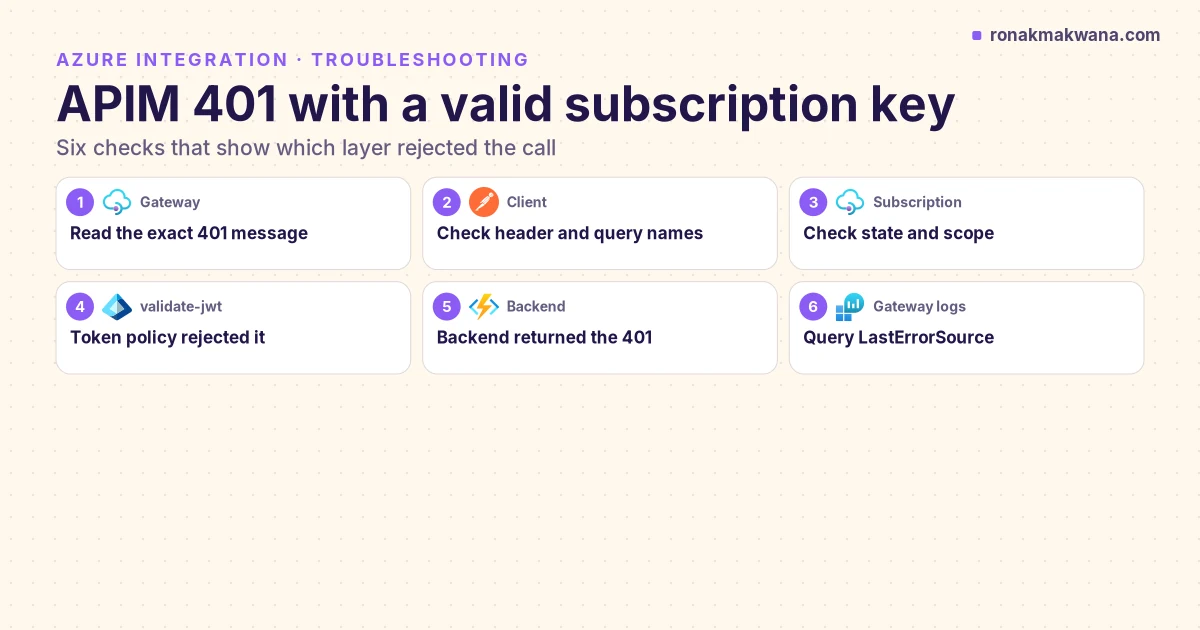
If APIM returns 401 or 403 before the request reaches the function, that’s a gateway problem rather than a hosting one; see APIM 401 with a valid subscription key.
Long-running work and timeouts
functionTimeout in host.json defaults to 30 minutes on Flex, Premium and Dedicated, and can be unbounded (-1). Unbounded doesn’t mean uninterrupted: on Flex and Premium an execution gets up to 60 minutes of grace when its instance is scaled in, and 10 minutes during platform updates. Dedicated needs Always On for unbounded runs. Consumption stops at 10 minutes (hosting options, host.json reference). Premium adds an idle timer that stops a worker after 60 minutes with no new executions, and slot swaps can end running executions (Premium plan).
For multi-step or hours-long orchestrations, use Durable Functions rather than one long execution. On Flex, the supported Durable storage providers are Azure Storage and the Durable Task Scheduler (Flex Consumption plan).
Reaching a private Service Bus, Key Vault or storage account
Outbound VNet integration is what lets a function reach private endpoints and service-endpoint-protected resources. Flex, Premium and Dedicated all support regional VNet integration; Consumption doesn’t (networking options).
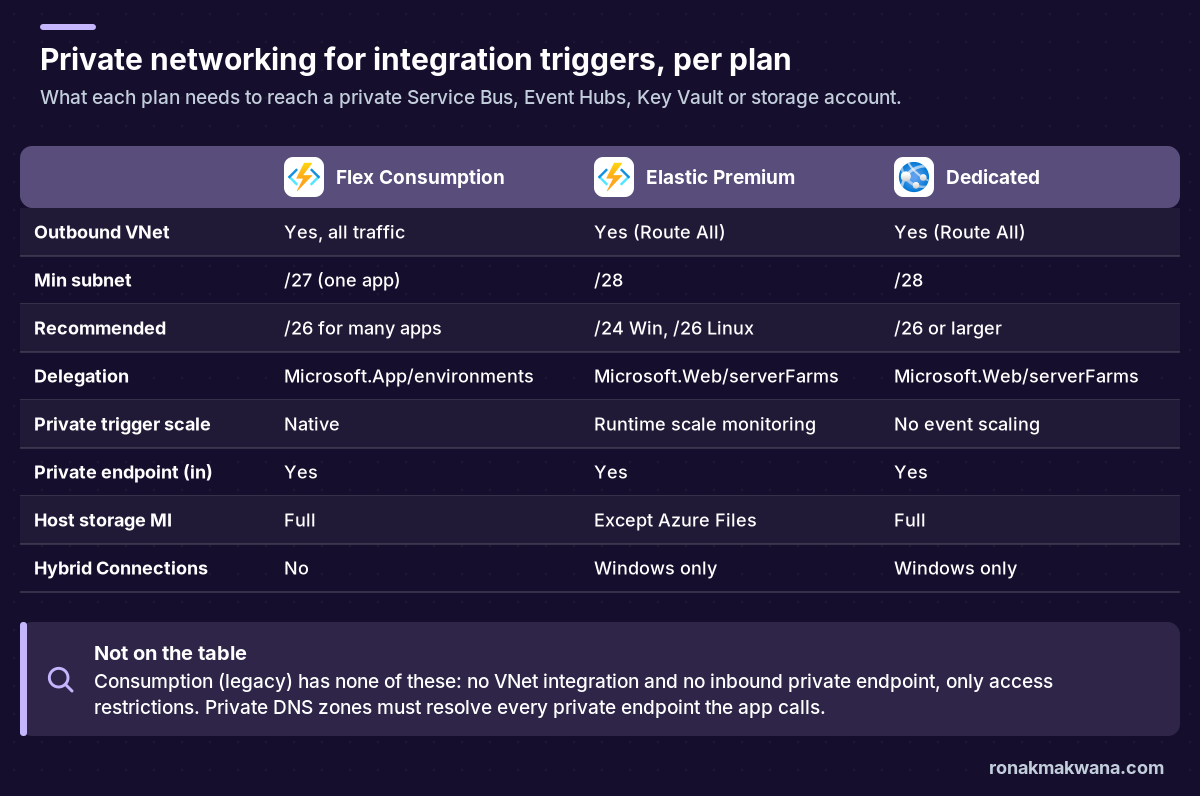
- Flex Consumption: delegate the subnet to
Microsoft.App/environmentsand register theMicrosoft.Appresource provider. Use at least a /27 for one app and a /26 for several; smaller or shared subnets reduce outbound network capacity. All outbound traffic goes through the VNet, so there’s no Route All switch. Triggers from VNet-protected sources scale natively. - Elastic Premium: delegate to
Microsoft.Web/serverFarms. Each instance takes one IP and scale operations can briefly double that, so Learn recommends a /24 on Windows and a /26 on Linux. For a VNet-restricted Service Bus or Event Hubs trigger, turn on runtime scale monitoring or the app won’t scale beyond its prewarmed instance count; target-based scaling then needs Service Bus extension 5.9.0+ or Event Hubs 5.2.0+ (target-based scaling). - Dedicated: also
Microsoft.Web/serverFarms; a /26 or larger is recommended. It’s the only plan that supports gateway-required (cross-region) VNet integration. - DNS and dependencies: calls to private endpoints only work if DNS resolves to the private IP, usually via Azure DNS private zones linked to the VNet. Key Vault references can read a network-restricted vault once VNet integration is configured, and the host storage account can itself be locked to the VNet (networking options).
Azure CLI: Flex Consumption app on a private subnet
# Flex Consumption: create the app with VNet integration, a 2 GB instance size
# and one always ready instance each for the HTTP group and one Service Bus function
az functionapp create --resource-group <RESOURCE_GROUP> --name <APP_NAME> \
  --storage-account <STORAGE_NAME> --flexconsumption-location <REGION> \
  --runtime dotnet-isolated --runtime-version 8.0 --instance-memory 2048 \
  --always-ready-instances http=1 function:<SB_FUNCTION_NAME>=1 \
  --vnet <VNET_RESOURCE_ID> --subnet <SUBNET_NAME>

# Check which regions currently offer Flex Consumption
az functionapp list-flexconsumption-locations --query "sort_by(@, &name)[].{Region:name}" -o table
Not executed for this post; syntax from Microsoft Learn. Replace the placeholders before you run anything. The flag is --flexconsumption-location (no hyphen inside “flexconsumption”). Each parameter is documented in Create and manage function apps in the Flex Consumption plan and the az functionapp reference; combining them in one call is my assembly, not a Learn sample.
Azure CLI: Premium runtime scale monitoring and always ready
# Elastic Premium: let VNet-restricted triggers drive scaling
az resource update -g <RESOURCE_GROUP> -n <FUNCTION_APP_NAME>/config/web \
  --set properties.functionsRuntimeScaleMonitoringEnabled=1 --resource-type Microsoft.Web/sites

# Elastic Premium: always ready instances for this app
az functionapp update -g <RESOURCE_GROUP> -n <FUNCTION_APP_NAME> \
  --set siteConfig.minimumElasticInstanceCount=<ALWAYS_READY_COUNT>
Not executed for this post; syntax from Microsoft Learn. Replace the placeholders before you run anything. Sources: networking options (runtime scale monitoring) and Premium plan (always ready, up to 20 per app).
Security: managed identity and private access
- Host storage with managed identity: Flex and Dedicated support identity for
AzureWebJobsStoragefully. Premium and Consumption support it for blobs, queues and tables, but the Azure Files content share still uses a connection string, so Learn suggests keeping that one setting in Key Vault or running without Azure Files (connections in Azure Functions). - Trigger connections: Service Bus and Event Hubs extensions support identity-based connections. For Service Bus, remember the scaling permission above; a receive-only role works for processing but makes scaling less accurate.
- Key Vault: grant the app’s identity a data-plane role on the vault and, if the vault is private, make sure the app has VNet integration. The failure modes are the same as in Logic Apps Unauthorized calling Key Vault.
- Inbound: use access restrictions to keep a public endpoint but allow only chosen sources, or a private endpoint to expose the app on a private IP. VNet integration is outbound only; it doesn’t make the app private.
- Certificates: Flex uses site-scoped certificates (up to 3 private and 3 public per app); the other plans use the webspace-scoped model (hosting options).
Reliability: zones, retries and deployments
- Zone redundancy is supported on Flex, Premium and Dedicated, not Consumption, and needs zone-redundant storage (ZRS) for the host storage account. On Flex, the platform keeps at least two always ready instances per function or group, so a zone-redundant Flex app never scales to zero and is billed for that baseline. Premium needs at least two always ready instances (Reliability in Azure Functions).
- Retries: the Service Bus extension retries through its own settings and the queue’s delivery count; Event Hubs uses function-level retry policies, and checkpoints wait until the retry policy finishes. Make handlers idempotent either way (error handling and retries).
- Scale-in: drained instances give running executions up to 60 minutes on Flex and Premium (10 on Consumption). For graceful shutdown with the Service Bus trigger, use extension 4.2.0 or later (event-driven scaling).
- Deployments: Premium and Dedicated have deployment slots, but swaps can stop running executions. Flex has no slots; it offers rolling updates as a site update strategy, which is in public preview as of this writing (deployment slots, Flex Consumption plan).
Monitoring scale decisions
Application Insights is the starting point on every plan. When the question is why didn’t it scale, turn on scale controller logs for a while. The setting is in preview, it adds monitoring cost, and Learn doesn’t list it per plan, so confirm it on your plan (configure monitoring).
Azure CLI + KQL: scale controller logs
az functionapp config appsettings set --name <FUNCTION_APP_NAME> \
  --resource-group <RESOURCE_GROUP_NAME> \
  --settings SCALE_CONTROLLER_LOGGING_ENABLED=AppInsights:Verbose

// Application Insights (KQL): scale controller entries
traces
| extend CustomDimensions = todynamic(tostring(customDimensions))
| where CustomDimensions.Category == "ScaleControllerLogs"
Not executed for this post; syntax from Microsoft Learn. Replace the placeholders before you run anything. Query from Analyze Azure Functions telemetry. Set the value to AppInsights:None or delete the setting when you’re done.
On Flex, the portal’s Diagnose and solve problems has a Flex Consumption Quota tool (regional quota usage) and a Flex Consumption Deployment tool, and Flex metrics separate always ready from on-demand executions (manage Flex Consumption apps).
Cost model, without the price list
Prices vary by region and change, so check the Azure Functions pricing page and the App Service pricing page for your region. The billing shapes are what decide the plan:
- Flex Consumption: on demand, you pay per execution and for instance memory while functions run (GB-seconds), minus a monthly free grant. Each execution bills at least 1,000 ms, then rounds up to 100 ms. Always ready instances add a baseline charge while idle, and their meters have no free grant (Flex billing).
- Premium: you pay for the cores and memory of allocated instances per second, with no execution charge. Every plan has at least one billed instance, and the prewarmed buffer is billed once it’s allocated (Premium plan).
- Dedicated: you pay for the App Service plan, whatever runs on it. That’s the most predictable, and the most wasteful if the plan sits idle.
- Consumption (legacy): executions plus GB-seconds, with its own free grant.
A rough rule: spiky or idle-heavy integration loads favour Flex; near-continuous load, or several apps that can share instances, can favour Premium or Dedicated. Model it with Cost Management on real traffic before you commit.
Migrating from Consumption to Flex Consumption
There’s no in-place plan change. You create a new Flex app, redeploy, cut over and retire the old app; you also can’t move a Flex app to another plan later (Flex Consumption plan). Linux apps can use az functionapp flex-migration; Windows apps follow manual steps and must run on Linux first (Migrate Consumption plan apps to Flex Consumption). Check these before you start:
- C# in-process isn’t supported on Flex; move to the isolated worker model.
- Deployment slots aren’t supported; use a separate non-production app or rolling updates.
- The Blob trigger must use the Event Grid source;
WEBSITE_TIME_ZONEandTZaren’t supported; PowerShell managed dependencies aren’t supported. - Infrastructure code changes: Flex moves runtime, scale and deployment settings into
functionAppConfig, and settings such asFUNCTIONS_WORKER_RUNTIME,WEBSITE_CONTENTSHAREandWEBSITE_RUN_FROM_PACKAGEare deprecated there (Flex Consumption plan deprecations).
Plan the cutover per trigger, because both apps can read the same source at once. Learn’s mitigation table rates Service Bus as high risk: create a new queue or topic for the new app, move senders, and stop the old app once the old queue is empty. For Event Hubs, give the new app its own consumer group. For HTTP behind APIM, switch the backend URL. Make handlers idempotent for the overlap (migration guide).
Decision matrix for integration scenarios
This matrix applies the documented behavior above to common integration shapes. It’s my synthesis, not a Microsoft table.
| Scenario | Start with | Watch for |
|---|---|---|
| Private Service Bus queue, spiky load | Flex | Data Owner or custom role for scaling; /27 subnet |
| Same, but Windows-only code | Premium (Windows) | Runtime scale monitoring; SB extension 5.9.0+ |
| Event Hubs stream, steady 24/7 | Flex or Premium | Partitions cap scale; checkpoint frequency 1 |
| HTTP API behind APIM, latency SLO | Flex + always ready | 230 s limit; HTTP group scales together |
| Long orchestration (hours) | Durable on Flex or Premium | Flex: Azure Storage or DTS backend |
| Release process needs slots | Premium or Dedicated | Swaps can stop running executions |
| Fixed budget, existing App Service plan | Dedicated | Always On; no event-driven scale |
| On-prem TCP endpoint, no VPN | Premium or Dedicated (Windows) | Hybrid Connections are Windows-only |
| Zone redundancy required | Flex, Premium or Dedicated | ZRS storage; Flex can’t scale to zero |
| Many small apps on shared compute | Premium or Dedicated | Flex allows one app per plan |
Pitfalls checklist before you commit
- Premium with a VNet-locked Service Bus or Event Hubs and runtime scale monitoring off: no scaling past the prewarmed count.
- Service Bus connection with receive-only rights: works, but scaling falls back to peek estimates without any error.
- A P1v3 plan instead of EP1: SKUs starting with P are Dedicated and won’t scale on events; Elastic Premium SKUs start with E.
- Dedicated without Always On: the runtime goes idle after a few minutes of inactivity.
- Flex subnet smaller than /27, or many apps on one /27: outbound capacity drops, and you can’t resize a subnet once assigned.
- Missing Microsoft.App provider registration for Flex VNet integration.
- Copying Consumption or Premium app settings into Flex templates: several are deprecated there.
- Forgetting the Flex regional memory quota: all Flex apps in a subscription and region share it, always ready instances included.
- Expecting a zone-redundant Flex app to cost nothing when idle.
- An HTTP function doing more than 230 seconds of work behind APIM.
- Event Hubs
batchCheckpointFrequencyabove 1 on a target-based plan. - More than 100 event-triggered functions in one app: the scale controller only watches the first 100 that execute.
What was checked for this article
No commands or templates in this article were executed against Azure, and each code block is labelled. Plan limits, timeouts, instance sizes, subnet sizes, delegations, scaling behavior, permissions, retirement dates and CLI parameter names were checked against the Microsoft Learn pages below on 16 November 2026. Two caveats: Learn’s hosting comparison marks Linux Consumption as retired while the plan page gives 30 September 2028 as the retirement date, and the comparison lists containers as unsupported on Flex while the az functionapp create reference already shows a Flex container image option. If either matters to you, recheck the current pages. Prices weren’t quoted because they vary by region.
Related guides
For the HTTP side, see publishing a Function behind API Management with a subscription key and troubleshooting APIM 401 responses. For messaging failure handling, read Service Bus poison messages, peek-lock and dead-lettering. More guides are in the Azure Integration category.
Sources
- Azure Functions hosting options (Microsoft Learn): plan comparison, timeouts, scale, limits, networking, billing
- Azure Functions Flex Consumption plan hosting (Microsoft Learn)
- Create and manage function apps in the Flex Consumption plan (Microsoft Learn)
- Azure Functions Premium plan (Microsoft Learn)
- Dedicated hosting plans for Azure Functions (Microsoft Learn)
- Azure Functions Consumption plan hosting (legacy) (Microsoft Learn)
- Azure Functions networking options (Microsoft Learn)
- Event-driven scaling in Azure Functions (Microsoft Learn)
- Target-based scaling (Microsoft Learn)
- Azure Service Bus trigger for Azure Functions (Microsoft Learn): scaling permissions, PeekLock
- Azure Service Bus bindings for Azure Functions (Microsoft Learn): host.json settings
- host.json reference for Azure Functions 2.x and later (Microsoft Learn): functionTimeout
- Configure connections to remote services in Azure Functions (Microsoft Learn)
- Reliability in Azure Functions (Microsoft Learn): availability zones
- Azure Functions error handling and retries (Microsoft Learn)
- Configure monitoring for Azure Functions (Microsoft Learn): scale controller logs
- Analyze Azure Functions telemetry in Application Insights (Microsoft Learn)
- App settings reference for Azure Functions (Microsoft Learn): Flex Consumption plan deprecations
- Migrate Consumption plan apps to the Flex Consumption plan (Microsoft Learn)
- Azure Functions deployment slots (Microsoft Learn)
- az functionapp (Microsoft Learn): Azure CLI reference
- Azure Functions pricing (Microsoft Azure)
- App Service pricing, Linux (Microsoft Azure)